
How to move from a creator with no dev skills to an AI builder in 2026 ?

How to move from a creator with no dev skills to an AI builder in 2026 ?
You don’t need coding skills to build AI apps anymore. In 2026, tools powered by AI allow anyone to turn ideas into functional apps in hours, not months. By describing your vision in plain English, platforms handle the technical work like server setup, databases, and deployment. This shift is fueled by "vibe coding", a method where AI translates your instructions into fully working solutions.
Here’s how you can get started:
- AI builder platforms like Bubble, Softr, and Replit let you create apps with simple prompts. Costs range from $20–$100/month.
- No-code tools handle complex tasks like user authentication, workflows, and automation without requiring programming knowledge.
- Prompt engineering is a key skill - learning how to write clear, specific instructions ensures better results from AI.
- Focus on defining your idea, choosing the right tools, and testing in small steps. For example, a simple app can be built in under 15 minutes.
I Built a Real AI App in 60 Minutes (No Coding)
Explore AI Tools on Flaex.ai
Discover the best AI tools for your workflow, curated, reviewed, and ranked.
Browse Directory →What Is an AI Builder?
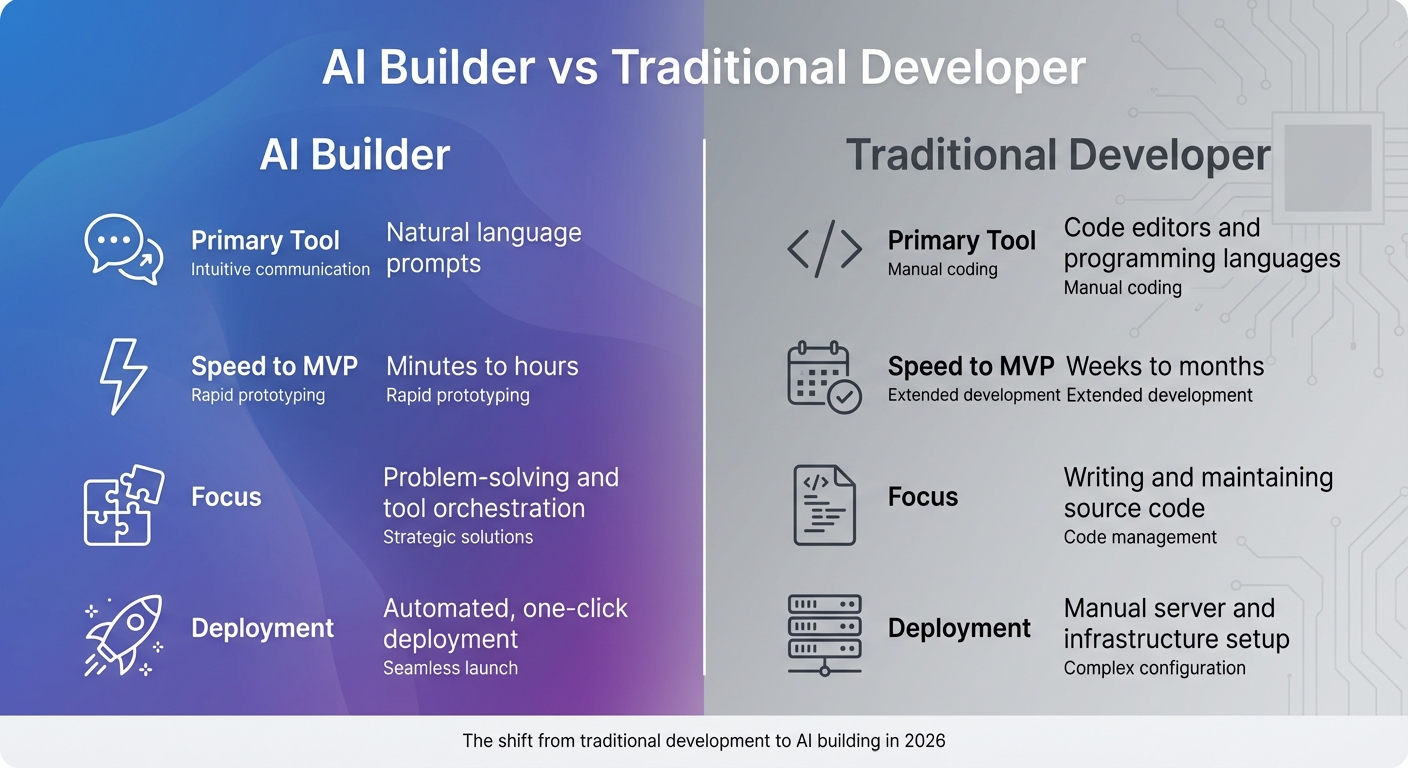
AI Builder vs Traditional Developer: Key Differences in 2026
By 2026, creating applications has become as simple as describing what you want in plain English. Instead of mastering programming languages, AI builders rely on natural language to connect pre-trained models and tools. This approach removes traditional development barriers, making it easier to build powerful solutions.
The role of an AI builder is all about orchestrating existing platforms. You might use one tool for the frontend and another for the database, while AI takes care of the technical heavy lifting - like server setup, SSL, and deployment. This setup allows you to focus on enhancing the user experience without getting bogged down in technical details.
AI Builder vs. Traditional Developer
The key difference between AI builders and traditional developers lies in how solutions are created. Traditional developers write custom code, manage infrastructure, and troubleshoot syntax errors. On the other hand, AI builders simply describe what they need, and AI handles the implementation. For example, while a traditional developer might spend weeks coding authentication logic, an AI builder could type, "Add a signup form that sends a confirmation email", and then fine-tune the AI-generated result.
| Aspect | AI Builder | Traditional Developer |
|---|---|---|
| Primary Tool | Natural language prompts | Code editors and programming languages |
| Speed to MVP | Minutes to hours | Weeks to months |
| Focus | Problem-solving and tool orchestration | Writing and maintaining source code |
| Deployment | Automated, one-click deployment | Manual server and infrastructure setup |
While you don’t need to write code, understanding technical concepts like APIs, databases, and user authentication can help you communicate more effectively with the AI. This makes the process smoother and the results more aligned with your vision.
Why Start in 2026
Several factors make 2026 the perfect time to dive into AI building. For one, the AI agent market is booming. It hit $7.84 billion in 2025 and is forecasted to grow to $52.62 billion by 2030. Companies using no-code AI platforms are reporting a 40% faster time-to-market compared to traditional methods, alongside annual savings of around $187,000.
Success stories highlight the demand for accessible AI solutions. For instance, Lovable achieved $20 million ARR just two months after launching. Meanwhile, over 300,000 AI development positions remain unfilled globally, signaling a shift toward more efficient problem-solving approaches.
In the past, creating custom AI agents could cost anywhere from $75,000 to $500,000 and take months to complete. By 2026, you can achieve similar results with tools that cost just $20–$30 per month and require only an afternoon to set up. It’s a game-changer for anyone looking to build smarter, faster, and more affordably.
No-Code AI Tools for Creators
By 2026, the world of AI tools has transformed significantly. Now, platforms combine simplicity with robust capabilities, letting creators handle everything from design to deployment using natural language commands. Here's a closer look at how these tools meet a variety of project needs.
ChatGPT and Multimodal AI Assistants
ChatGPT, along with other AI assistants like Anthropic's Claude and Google's Gemini, serves as the backbone for many projects. These tools integrate seamlessly with platforms like Bubble or Zapier, enabling features such as sentiment analysis, content creation, and virtual assistants - all without needing to code the backend. They’re particularly useful for brainstorming and creating initial frameworks. Just describe your idea in plain English, and the AI delivers a starting point.
Beyond conversational tools, specialized platforms simplify visual app development by embedding AI into their workflows.
Website and App Builders with AI Features
AI-powered platforms like Bubble now provide an intuitive environment for creating apps. With its AI app builder, Bubble can generate app structures, database schemas, and logic (like navigation and user authentication) based on text input. Starting at $29 per month, it’s ideal for building complex web applications or SaaS products that previously required months of coding.
For smaller-scale projects, Softr offers a faster solution. Starting at $49 per month, it converts data from sources like Airtable or Google Sheets into fully functional apps with minimal effort. Whether you need a customer portal, internal directory, or CRM, Softr’s template library and AI tools provide a solid starting point that you can customize further.
| Platform | Starting Price | Best For | Key AI Feature |
|---|---|---|---|
| Bubble | $29/month | Complex web apps, SaaS MVPs | Generates app structure, database, and logic from prompts |
| Softr | $49/month | Internal tools, portals, directories | Turns spreadsheets into apps with block-based design |
| Replit | $25/month | Full-stack prototyping | Autonomous agents that write, test, and deploy apps |
| Zapier | $19.99/month | Workflow automation | AI Actions that route information across over 7,000 apps |
Low-Code App and Automation Platforms
Zapier simplifies automation by connecting over 7,000 SaaS tools. Its AI Actions let you build workflows through natural language commands. For example, you can tell it to "summarize emails and post updates in Slack", and it will handle the task for you.
Airtable Omni takes a similar approach, turning existing data into custom interfaces, automations, and embedded AI agents - all through conversational instructions. It’s designed to handle projects on a large scale, supporting hundreds of millions of records.
In a striking example of AI’s efficiency, the global eCommerce platform Rokt used Replit Agent in 2025 to develop 135 internal applications in just 24 hours, drastically cutting down manual work.
"AI has turned app development into a conversation. What once took months of coding now happens in minutes."
- Replit Team
The best tool for your project depends on its complexity. For quick prototypes or internal tools, Softr or Replit are great options. If you need to build intricate logic or a fully functioning SaaS product, Bubble is a strong choice. For automating workflows across existing tools, Zapier remains a go-to solution.
How to Build Your First AI Project
Starting your first AI project in 2026 doesn’t require deep coding skills. Thanks to "vibe coding", you can now describe your idea in plain English, and AI handles the technical work for you. The trick lies in breaking your project into smaller steps and understanding that your first version is just a starting point. A clear vision helps you define your problem in practical terms.
Define Your Problem and Use Case
Start by summarizing your idea in one straightforward sentence. Make sure it addresses a real need and provides immediate value for at least one person. To stay organized, create a Product Requirements Document (PRD). This document should outline the problem you’re solving, your target audience, and the "Happy Path" - the ideal user experience from opening your app to achieving their goal.
Take this example from January 2026: a developer built a "Lead Scraper SaaS" in just 15 minutes. The project began with a clear blueprint: connect government APIs to a dashboard displaying real-time business data. Using Gemini for planning, Stitch for UI design, and Antigravity for execution, the app was fully functional, complete with a Supabase database.
"The real 'unfair advantage' in 2026 isn't knowing how to code; it's telling the system exactly what 'done' means." - Max Anh, Author
Choose the Right Tools for Your AI Stack
Once your problem is defined, pick tools that match your project’s needs and complexity.
- For simple internal tools or dashboards, platforms like Softr (starting at $59/month) or Airtable Omni are great because they integrate easily with spreadsheets.
- For customer-facing SaaS apps that require more advanced workflows, Bubble (starting at $29/month) offers better control over database relationships.
- For rapid prototyping, Bolt.new can quickly turn your idea into a shareable URL.
When choosing tools, think about your data sources. If you’re using Google Sheets or Airtable, pick platforms that have built-in connectors to avoid manual API setup. Use precise design terms like "bento grid layout" or "glassmorphism" in your prompts to get faster, more accurate results. Budget-wise, expect to spend $20–$100/month on platform subscriptions and an additional $10–$30/month for AI API usage, depending on your needs.
Iterate, Test, and Deploy
After planning and selecting tools, focus on building your project in small, manageable steps. Start with the core feature, test it, and then add more functionality. This "prompt, review, fix, repeat" approach keeps the process simple and makes debugging easier.
When testing, tackle one issue at a time. For example, if a feature isn’t working as expected, provide specific feedback like, "The streak counter is showing total check-ins, not consecutive days". If the AI gets stuck on a bug, clear its context by starting a new conversation. Test your app with 5–10 users from your target audience. Watch how they interact with it - if they hesitate or get confused, you’ve found areas that need improvement.
By 2026, deploying an app has become effortless. Most platforms handle hosting, SSL certificates, and domain setup with a single click. Before launching, make sure to configure a custom domain, publish a privacy policy, and set up basic analytics. Samuel Rondon, a former optician with no coding background, used this step-by-step approach to build StoryShort.ai and two other apps. By focusing on orchestrating AI agents instead of learning syntax, he achieved $35,000 in monthly recurring revenue in early 2026.
"With AI today, you can literally build like 90% of most apps without the traditional learning curve." - Samuel Rondon, Founder
The entire process - from idea validation to deployment - can take as little as 15 minutes for simple tools or up to three months for more complex applications. In fact, 72% of users successfully launch their apps within this timeframe after initial training.
Skills You Need as an AI Builder
Building on earlier discussions about streamlined workflows, becoming an AI builder today doesn't require a computer science degree. However, it does demand mastering three essential skills: communicating effectively with AI systems, choosing the right tools, and integrating platforms to create seamless solutions. The good news? These skills are best learned through hands-on practice rather than formal education.
Mastering Prompt Engineering
Prompt engineering is all about crafting precise instructions that consistently produce high-quality results from AI models. Think of it as learning how to "talk" to the AI in a way it understands clearly. Vague or overly general prompts can lead to unpredictable or subpar outcomes.
The secret lies in specificity. For example, instead of asking for "high-quality images", try something more descriptive like "shot on Canon R5, 85mm f/1.4". For video projects, using terms like "dolly forward" or "rack focus" can help avoid static, uninspired results.
Testing has shown that prompts between 20–80 words tend to work best. Going beyond 100 words can dilute the AI's focus. To ensure consistency across multiple outputs, you can "lock the seed" (a number that controls randomness), so only your descriptive text varies while the underlying structure remains stable.
"Prompt engineering is the skill of writing text instructions that consistently produce high-quality output from AI generation models. It is the single most important skill for anyone using an AI Image Generator or AI Video Generator." - Cliprise
For more complex projects, techniques like prompt chaining - where a series of related prompts work together across different models - can be invaluable. Meta-prompting, where the AI helps refine your instructions, is another advanced approach. To manage costs, you can prototype prompts on faster, lower-cost models before finalizing them with premium options.
Mastering these techniques not only improves your results but also helps you evaluate tools and workflows more effectively.
Understanding Tool Capabilities and Limitations
To excel as an AI builder, you need to understand the strengths and limitations of the tools you're using. This includes grasping concepts like Frontend vs. Backend, Authentication (identity verification), Databases (data organization), and APIs (linking services).
AI-specific parameters are equally important. For instance, the Classifier-Free Guidance (CFG) scale determines how closely the AI follows your prompt. A lower setting (1–4) encourages creative exploration, while a higher setting (9–12) enforces stricter adherence. Similarly, seeds control randomness, and Negative Prompts specify what the AI should exclude. Limiting these to a few terms (3–5) prevents over-restricting the model.
Budgeting is another critical aspect. Factor in platform subscriptions, AI usage credits, and API fees. Be cautious of vendor lock-in - many no-code platforms create code that's tied to their ecosystem, making migrations or exports difficult. While traditional AI app development can cost anywhere from $20,000 to $200,000 and take months, no-code tools can dramatically reduce both time and expense.
Workflow Automation and Data Integration Basics
As discussed earlier, effective workflow automation is essential. AI workflows generally consist of three parts: Triggers (events that initiate the process), AI Decisions (where the model interprets or classifies data), and Actions (outputs like sending an email or updating a database). Unlike traditional automation that relies on rigid rules, AI workflows can handle more nuanced tasks and varied inputs.
When setting up workflows, be clear about data sources, formatting requirements, and which fields need to be passed between tools. Start with "Shadow Mode", where the system logs actions without executing them, then move to "Review Mode" (human approval required) before going live.
Consider these examples: Remote, a company with over 1,800 employees, used Zapier and ChatGPT to classify IT support tickets. Their system references past tickets to generate AI-powered responses in Slack, handling 28% of tickets and saving over 600 hours monthly. Similarly, ActiveCampaign saw a 440% boost in webinar attendance and a 15% drop in early churn after implementing AI-driven workflows.
"AI workflows expand on traditional automation by bringing judgment into the mix. They can read, classify, interpret tone, extract meaning, and make decisions that would be hard to encode manually." - Nicole Replogle, Staff Writer, Zapier
The best tasks for automation are repetitive ones that require some human reasoning, like prioritizing support tickets based on tone or summarizing customer feedback. However, remember that "garbage in is still garbage out" - clean, well-structured input data is crucial for effective integration.
Conclusion
No-code and low-code platforms, paired with core skills like prompt engineering, are transforming how AI applications are built.
By 2026, creating functional AI won't require a computer science degree or a hefty $20,000 budget. Tools are either free or budget-friendly, tutorials are everywhere, and vertically integrated platforms have removed the technical hurdles that once blocked non-technical creators from entering the field.
The real edge isn't in coding - it's in knowing what to build and why it matters.
To thrive in this space, focus on mastering practical skills like prompt engineering to communicate effectively with AI, understanding the capabilities of different tools, and automating workflows to bring your ideas to life. These skills can be learned through hands-on practice rather than formal education.
"2026 is the year anyone can create your own AI - no PhD, no $100k budget. Tools are free, tutorials are everywhere, and the barrier to entry has collapsed." - Maya Rhodes, Technology Author
Start small. For example, create something simple like a habit tracker or an expense manager. Describe your idea in plain English, let the AI generate a solution, and refine it step by step. Gartner even predicts that by 2026, 80% of new applications will be built by non-technical creators using these tools.
The possibilities are endless. Whether you're validating a concept, reducing costs, or automating tasks, the tools you need are already within reach. Dive in and start building today!
Featured on Flaex