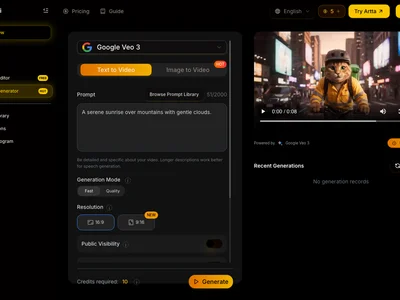
Artta AI transforms text into engaging AI videos effortlessly. Create stunning video content quickly and easily with Artta AI's powerful tools.
Boost this tool
Subscribe to listing upgrades or segmented pushes.
Artta AI is an AI-powered video creation platform that allows users to generate videos from text, images, and existing video clips. It simplifies the video creation process, making it accessible to individuals and businesses of all sizes. The key benefit is its ability to drastically reduce the time and resources required to produce high-quality video content. Artta AI empowers users to create engaging videos without needing extensive video editing skills or expensive equipment.
Artta AI works by utilizing advanced AI algorithms to analyze text prompts, identify relevant visuals, and automatically generate video scripts, scenes, and transitions. Users can customize the AI-generated content by adding their own media assets, adjusting the script, and selecting from a range of templates and styles. Key features include AI script generation, automatic scene creation, text-to-speech voiceovers, a vast library of stock footage and music, and easy-to-use editing tools for fine-tuning the final product.
Artta AI is ideal for marketers, educators, content creators, and businesses looking to create engaging video content for social media, websites, presentations, and online courses. It's a great choice for those who want to save time and money on video production while still maintaining a high level of quality and creative control. Whether you're creating explainer videos, product demos, or social media ads, Artta AI offers a powerful and intuitive solution to streamline your video creation workflow.
Best for marketers and content creators who need to quickly and easily produce engaging video content for social media, websites, and online courses.
Not ideal for professional filmmakers or video editors who require highly specialized and granular control over every aspect of the video production process.
