Back to Database
Video to Video AI
VERIFIED

Video to Video AI

0.0(0)

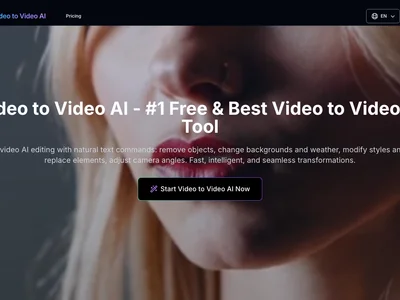
Video to Video AI transforms videos with AI-powered style transfer. Create stunning visuals and reimagine your content effortlessly.

Productivity & OpsFreemium

Boost this tool

Subscribe to listing upgrades or segmented pushes.

Log in to purchase

Overview

Video to Video AI is an AI-powered tool that allows users to apply the visual style of one video to another. This means you can transform the look and feel of your existing video content without needing complex editing software or extensive technical skills. The primary benefit is the ability to quickly and easily create visually engaging and unique videos that stand out.

The tool likely works by analyzing the visual characteristics of the 'style' video (e.g., color palettes, textures, artistic elements) and then applying those characteristics to the content video. Key features probably include style customization options, resolution controls, and potentially the ability to upload custom style videos. It may also offer batch processing for efficient workflow.

Video to Video AI is designed for content creators, social media marketers, and businesses looking to enhance their video content with eye-catching visuals. If you're seeking a simple, cost-effective way to breathe new life into your videos and create a consistent brand aesthetic, this tool could be a valuable asset. It's particularly useful for those without extensive video editing experience.

Key Features

AI-powered style transfer - applies the visual style of one video to another automatically.
Custom style uploads - use your own videos as style references.
Resolution control - adjust the output resolution to suit your needs.
Style intensity control - fine-tune the strength of the style transfer.
Batch processing - process multiple videos at once for efficiency.
User-friendly interface - easy to use even without video editing experience.
Preview function - see the results before finalizing the video.
Potentially offers API access - integrate into existing workflows (speculative).

Use Cases & Problems Solved

Use Cases

  • Use when you want to quickly transform your existing videos into unique art pieces.
  • Perfect for social media marketers who need to create engaging video content that stands out.
  • Ideal if you need to apply a consistent visual style across a series of videos for branding purposes.
  • Use when you want to experiment with different artistic styles without manually editing each frame.
  • Perfect for creating visually compelling presentations and educational videos.
  • Ideal if you need to repurpose old video content with a modern and fresh look.

Problems Solved

  • Eliminates the need for complex and time-consuming manual video editing.
  • Reduces the cost of hiring professional video editors for style transfer.
  • Overcomes the barrier to entry for creating visually stunning videos without advanced technical skills.
  • Solves the problem of creating consistent visual branding across all video content.

Who It's For

Content creatorsSocial media marketersSmall business ownersVideo editorsDigital marketing agenciesEducators

Fit Analysis

Best For

Best for content creators who need to quickly and easily transform their videos with unique visual styles to engage their audience.

Not Ideal For

Not ideal for professional video editors requiring highly precise, frame-by-frame control over the style transfer process because the AI automates much of the customization.

Metrics

Discovered12/28/2025
Reviews0
Saved By0 users

Related Tools

Video to Video AI Review, Pricing & Alternatives (2026) | Flaex AI