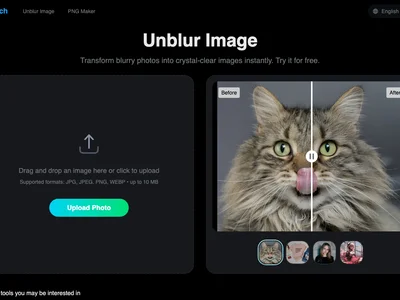
Unblur Image by Uluch instantly sharpens blurry photos online, restoring clarity and detail with AI-powered image enhancement. Get crisp, clear images now!
Boost this tool
Subscribe to listing upgrades or segmented pushes.
Unblur Image by Uluch is an online tool that uses advanced AI algorithms to remove blur from images, enhancing their clarity and restoring lost details. Whether you have blurry photos from camera shake, out-of-focus shots, or images degraded by compression, this tool can significantly improve their quality. The primary benefit is rescuing otherwise unusable images, saving time and effort compared to manual editing.
The tool works by analyzing the blurry image and identifying the patterns of blur. It then applies sophisticated algorithms to reverse the blurring effect, reconstructing the sharp details that were lost. Key features include automatic blur detection, adjustable sharpening levels, and a user-friendly interface for easy uploading and processing. The AI intelligently enhances the image without introducing artifacts or over-sharpening, ensuring a natural and pleasing result.
This tool is ideal for photographers, designers, social media managers, and anyone who needs to improve the quality of their images. It's particularly useful for restoring old photos, enhancing product images for e-commerce, or sharpening images for print. Individuals and businesses choose Unblur Image by Uluch because it provides a quick, easy, and affordable way to salvage blurry images and achieve professional-looking results without requiring advanced photo editing skills or expensive software.
Best for individuals and businesses who need a quick and easy way to unblur images and restore lost detail without requiring advanced photo editing skills.
Not ideal for professionals requiring highly granular control over the deblurring process or needing to correct severe image distortions.
