Back to Database
Uigenerator
VERIFIED

Uigenerator

0.0(0)

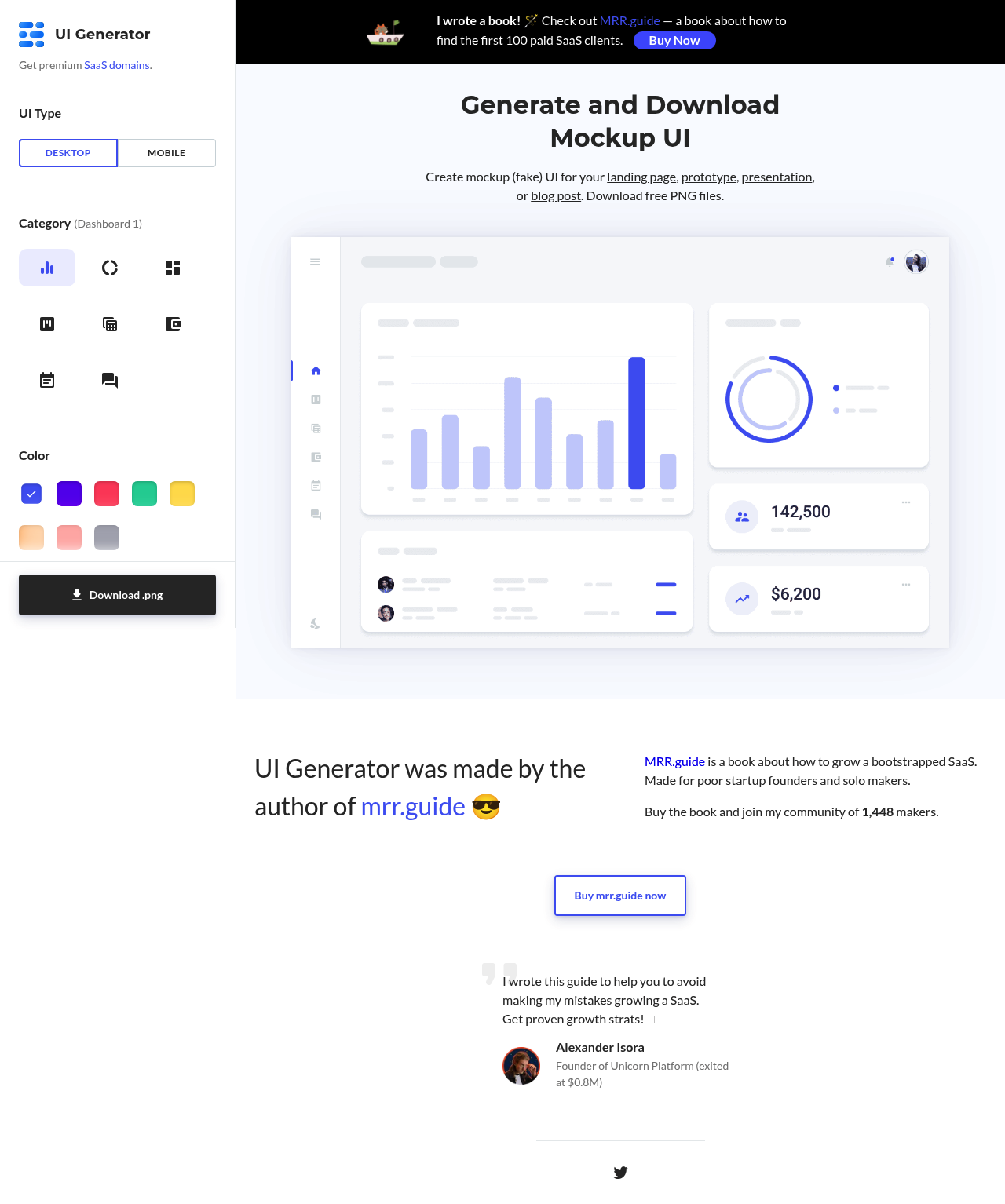
Uigenerator: Quickly create mockup UI designs for landing pages, prototypes, presentations, or blog posts. Download free PNG files.

DesignFreemium

Boost this tool

Subscribe to listing upgrades or segmented pushes.

Log in to purchase

Overview

Uigenerator is a free online tool that allows you to generate mockup user interfaces (UI) for various purposes. It provides a quick and easy way to create visually appealing placeholders for your designs, without requiring any design skills. Simply select a category, generate the UI, and download the PNG file.

The tool offers a selection of pre-designed UI elements across different categories, including CRM, dashboards, Kanban boards, finance interfaces, calendars, and messengers. You can choose between desktop and mobile views. A customization option allows for dark backgrounds and mockup frames, though the extent of customization appears limited. Once generated, the UI can be downloaded as a PNG file.

Uigenerator is ideal for startup founders, developers, and anyone needing quick UI mockups for presentations, landing pages, or prototypes. It is a great time-saver when you need a visual representation of a UI without investing significant time or resources into detailed design.

Key Features

Generates UI mockups - quickly creates visual representations of user interfaces.
Multiple categories - offers a range of UI types, including CRM, dashboards, and calendars.
Desktop and mobile views - allows for generation of mockups for different devices.
Free PNG downloads - provides easy access to the generated UI in a readily usable format.
Dark background option - customizes the UI with a dark background for different aesthetic needs.
Mockup frame - adds a device frame around the UI for a more realistic presentation.
Shareable on social media - easily share your generated UI on Twitter and Facebook.

Use Cases & Problems Solved

Use Cases

  • Use when you need a quick and visually appealing UI mockup for a presentation.
  • Perfect for creating placeholder UI elements for a landing page before investing in full design.
  • Ideal if you need to illustrate a UI concept in a blog post.
  • Use when prototyping a new app feature and need to quickly visualize the user interface.
  • Perfect for creating marketing materials that showcase potential UI designs.
  • Use when you want to quickly mock up a dashboard for internal use.
  • Ideal when you need a visual representation of a UI to communicate with stakeholders.

Problems Solved

  • Eliminates the need for extensive design skills to create UI mockups.
  • Saves time by providing pre-designed UI elements.
  • Reduces the cost associated with hiring a designer for basic UI mockups.
  • Provides a quick and easy way to visualize UI concepts.
  • Offers a free solution for generating UI mockups.

Who It's For

Startup foundersDevelopersMarketing professionalsProduct managersBloggersDesigners needing quick mockups

Fit Analysis

Best For

Best for startup founders and marketers who need quick and free UI mockups for presentations or landing pages.

Not Ideal For

Not ideal for professional designers because it offers limited customization and design control.

FAQ

Metrics

Discovered2/16/2026
Reviews0
Saved By0 users

Related Tools