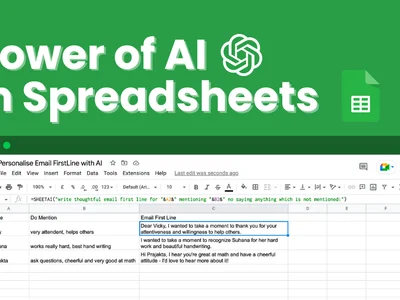
SheetAI: Use AI directly inside Google Sheets & Excel! Generate content, classify data, translate text & more, all within your spreadsheets.
Boost this tool
Subscribe to listing upgrades or segmented pushes.
SheetAI is a powerful add-on for Google Sheets and Excel that brings the power of AI directly into your spreadsheets. It allows you to perform a wide range of tasks, from generating unique content and classifying data to translating text and summarizing information, all without ever leaving your familiar spreadsheet environment. This eliminates the need to switch between different applications and streamlines your workflow, saving you valuable time and effort.
SheetAI works by connecting your spreadsheet to powerful AI models through simple formulas. You can use pre-built functions to perform tasks like generating product descriptions, categorizing customer feedback, translating text into multiple languages, or summarizing large amounts of data. The add-on is easy to install and use, with clear documentation and examples to guide you through the process. It also offers flexible pricing plans to suit different needs and budgets.
SheetAI is perfect for anyone who works with spreadsheets regularly and wants to leverage the power of AI to automate tasks and gain deeper insights from their data. This includes marketers, sales professionals, data analysts, researchers, and anyone who needs to generate content, analyze data, or translate text quickly and efficiently. If you're looking to boost your productivity and unlock the full potential of your spreadsheets, SheetAI is the perfect solution.
Best for spreadsheet users who need to automate tasks like content generation, data analysis, and translation to improve productivity and gain deeper insights.
Not ideal for users who require highly specialized AI models or complex AI workflows outside the scope of spreadsheet functionality.
