Back to Database
Riverside AI
VERIFIED

Riverside AI

71
0.0(0)

Riverside AI: Record studio-quality podcasts and videos remotely, with AI-powered editing and transcription. Effortless content creation!

AudioFreemium

Boost this tool

Subscribe to listing upgrades or segmented pushes.

Log in to purchase

Overview

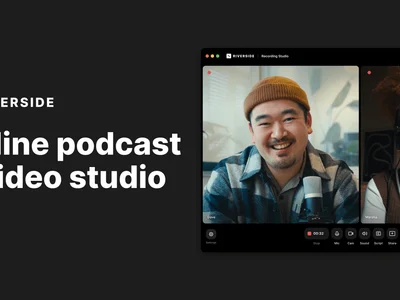
Riverside AI is a leading online podcast and video recording platform that empowers creators to produce professional-quality content from anywhere. It eliminates the need for expensive studios and complex setups by providing a user-friendly interface and robust features for recording, editing, and distributing podcasts and videos. The key benefit is simplified content creation with studio-quality results, regardless of location.

Riverside AI works by recording audio and video locally on each participant's device, ensuring high resolution even with unstable internet connections. The platform then uploads the separate tracks to the cloud for editing and mixing. Key features include studio-quality 4K video and audio recording, separate audio and video tracks for each participant, AI-powered transcriptions in over 100 languages with 99% accuracy, a text-based editor for quick content adjustments, and AI-powered 'Magic Clips' for creating engaging social media snippets.

Riverside AI is designed for podcasters, video creators, marketers, and businesses of all sizes. It's the ideal solution for anyone looking to streamline their content creation process, save time on editing, and produce professional-grade podcasts and videos without the hassle of traditional studio setups. Creators choose Riverside for its ease of use, high-quality recordings, and powerful AI-driven tools.

Key Features

Studio-Quality Recordings - Ensures professional audio and 4K video quality.
Separate Audio and Video Tracks - Provides flexibility and control in post-production.
AI-Powered Transcriptions - Accurately transcribes audio in over 100 languages, saving time and effort.
Text-Based Editing - Allows users to edit audio and video by editing the transcript.
Magic Clips - Creates engaging short-form content for social media with AI assistance.
Screen Sharing - Facilitates presentations and demonstrations during recordings.
Live Streaming - Enables live broadcasts to social media platforms.
Remote Device Control - Allows control of guest's camera settings for a seamless recording experience.

Use Cases & Problems Solved

Use Cases

  • Use when you need to record a podcast or video interview remotely with studio-quality audio and video.
  • Perfect for creating short, engaging video clips for social media using AI-powered tools.
  • Ideal if you need to transcribe audio or video content quickly and accurately in multiple languages.
  • Use when you want to collaborate with remote guests and record separate audio and video tracks for easy editing.
  • Perfect for streamlining your post-production workflow with text-based editing and AI-assisted clip creation.
  • Ideal if you need to produce high-quality video content without investing in expensive studio equipment.

Problems Solved

  • Eliminates the need for physical studios and expensive equipment.
  • Solves the problem of poor audio and video quality during remote recordings.
  • Eliminates hours of manual transcription with AI-powered accurate transcriptions.
  • Reduces post-production time with text-based editing and AI clip generation.
  • Overcomes internet connectivity issues by recording locally.

Who It's For

PodcastersVideo creatorsMarketing teamsContent creatorsBusinesses with remote teamsOnline educators

Fit Analysis

Best For

Best for podcasters and video creators who need to record high-quality content remotely and streamline their post-production workflow.

Not Ideal For

Not ideal for users who require highly specialized video editing features beyond basic text-based editing and clip creation.

Metrics

Discovered12/26/2025
Reviews0
Saved By0 users

Related Tools