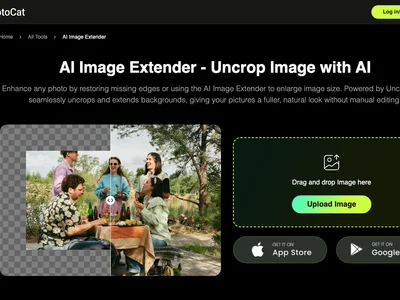
Extend your images seamlessly with PhotoCat AI Image Extender. Effortlessly expand photos beyond their original borders using AI-powered content generation.
Boost this tool
Subscribe to listing upgrades or segmented pushes.
PhotoCat AI Image Extender allows users to expand the boundaries of their existing images using artificial intelligence. This tool analyzes the existing content of a photo and intelligently generates new content to fill in the expanded area, seamlessly blending it with the original image. The primary benefit is the ability to create larger, more visually appealing images without losing quality or distorting the original subject.
The process is straightforward: upload your image, define the desired extension area, and let the AI work its magic. Key features include multiple aspect ratio options, customizable content generation strength, and a user-friendly interface. The AI algorithms are trained on a vast dataset of images, ensuring realistic and coherent extensions that match the style and context of the original photo.
This tool is especially useful for graphic designers, social media managers, and e-commerce businesses. Graphic designers can use it to create visually stunning website banners and marketing materials. Social media managers can adapt images for different platforms without cropping out important elements. E-commerce businesses can generate high-resolution product images that showcase products in their best light, leading to improved conversion rates.
Best for graphic designers and social media managers who need to quickly and easily adapt images to different dimensions without losing quality or cropping important elements.
Not ideal for users who require extremely precise control over every pixel of the extended area, as the AI generation is automated.
