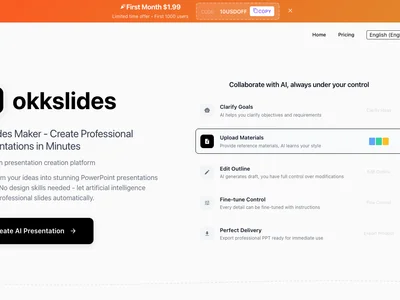
Create stunning presentations effortlessly with okkslidesv1.2.0! Transform text into visually engaging slides in seconds, saving you time and boosting impact.
Boost this tool
Subscribe to listing upgrades or segmented pushes.
okkslidesv1.2.0 is an AI-powered presentation generator that quickly transforms text outlines and bullet points into polished, visually appealing slide decks. It eliminates the tedious process of manual slide design, allowing users to focus on content and delivery. The tool leverages AI to suggest optimal layouts, choose relevant images, and ensure a consistent design aesthetic, resulting in professional-looking presentations in a fraction of the time.
okkslidesv1.2.0 works by analyzing the text input provided by the user. It then automatically generates slides with appropriate titles, content placement, and visual elements. Key features include customizable templates to match branding, an image library for adding visuals, and the ability to edit and refine AI-generated slides. Users can also adjust layouts, font styles, and color schemes to personalize their presentations further. The latest version, 1.2.0, includes improved image suggestion algorithms and enhanced support for complex data visualization.
okkslidesv1.2.0 is ideal for business professionals, educators, and students who need to create presentations frequently. It's perfect for anyone who wants to save time and effort on slide design while still achieving a professional and impactful look. If you're tired of spending hours formatting slides and searching for images, okkslidesv1.2.0 offers a fast and efficient solution to create compelling presentations with ease.
Best for business professionals and educators who need to quickly create professional and visually appealing presentations without extensive design skills.
Not ideal for users who require highly customized or unconventional presentation designs that deviate significantly from standard templates.
