Back to Database
Microsoft Designer
VERIFIED

Microsoft Designer

65
0.0(0)

Microsoft Designer: Create stunning social media graphics, invitations, & more in a flash with AI. Design like a pro, no experience needed!

ImageFreemium

Boost this tool

Subscribe to listing upgrades or segmented pushes.

Log in to purchase

Overview

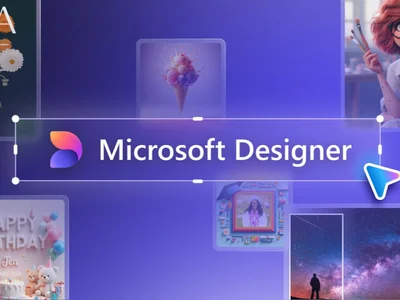
Microsoft Designer is an AI-powered graphic design app that empowers anyone to create professional-looking visuals. From eye-catching social media posts and engaging invitations to unique digital postcards and marketing materials, Designer simplifies the design process, making it accessible to users of all skill levels. It bridges the gap between complex design software and simple template tools, offering a balance of ease-of-use and creative control.

Designer leverages the power of artificial intelligence to streamline your workflow. The AI-driven Design Copilot provides intelligent suggestions and relevant template options based on your project description. DALL-E 2 integration allows you to generate original images from text prompts, expanding your creative possibilities. The platform offers a wide variety of customizable templates, cross-platform accessibility, and seamless integration with Microsoft 365 apps, making it a versatile design solution.

Microsoft Designer is perfect for small business owners, social media managers, educators, and anyone who needs to create visually appealing content quickly and easily. If you're looking for a user-friendly design tool that doesn't require extensive design knowledge or expensive software, Designer offers an affordable and effective solution for creating impactful visuals for various digital platforms.

Key Features

AI-Powered Design Suggestions - Get intelligent recommendations for templates, layouts, and images based on your project.
DALL-E 2 Integration - Generate unique, custom images from text prompts to enhance your designs.
Customizable Templates - Access a vast library of professionally designed templates for various design needs.
Social Media Optimization - Create graphics specifically formatted for different social media platforms.
Brand Kit - Maintain brand consistency by saving your logos, colors, and fonts for easy access.
Cross-Platform Accessibility - Access your designs from any device with an internet connection.
Microsoft 365 Integration - Seamlessly integrate with other Microsoft apps for enhanced workflow.
Background Removal - Easily remove backgrounds from images for clean and professional designs.
Animation Tools - Add simple animations and GIFs to make your designs more engaging.
Content Planner - Plan and schedule your social media posts directly from the Designer app.

Use Cases & Problems Solved

Use Cases

  • Use when you need to create engaging social media posts that grab attention and drive engagement.
  • Perfect for designing professional-looking marketing materials, such as flyers, brochures, and email headers.
  • Ideal if you need to create invitations or announcements for events, parties, or special occasions.
  • Use when you want to generate unique and eye-catching visuals for your website or blog.
  • Perfect for creating digital postcards and greeting cards to send to friends, family, or customers.
  • Ideal if you need to quickly mock up design concepts or prototypes for client presentations.
  • Use when you want to create branded content that reflects your unique style and message consistently across different platforms.

Problems Solved

  • Eliminates the need for expensive and complex design software.
  • Reduces the time and effort required to create professional-quality graphics.
  • Overcomes the lack of design skills and experience for non-designers.
  • Provides a centralized platform for creating and managing visual content.
  • Simplifies the process of generating unique images with AI-powered DALL-E 2 integration.

Who It's For

Small business ownersSocial media managersMarketing teamsEducatorsNon-profit organizationsSolopreneurs

Fit Analysis

Best For

Best for entrepreneurs and social media marketers who need to quickly create visually appealing content without professional design skills.

Not Ideal For

Not ideal for professional graphic designers because it lacks advanced features and fine-grained control found in industry-standard software like Adobe Photoshop or Illustrator.

Metrics

Discovered12/26/2025
Reviews0
Saved By0 users

Related Tools