Back to Database
Kimi
VERIFIED

Kimi

0.0(0)

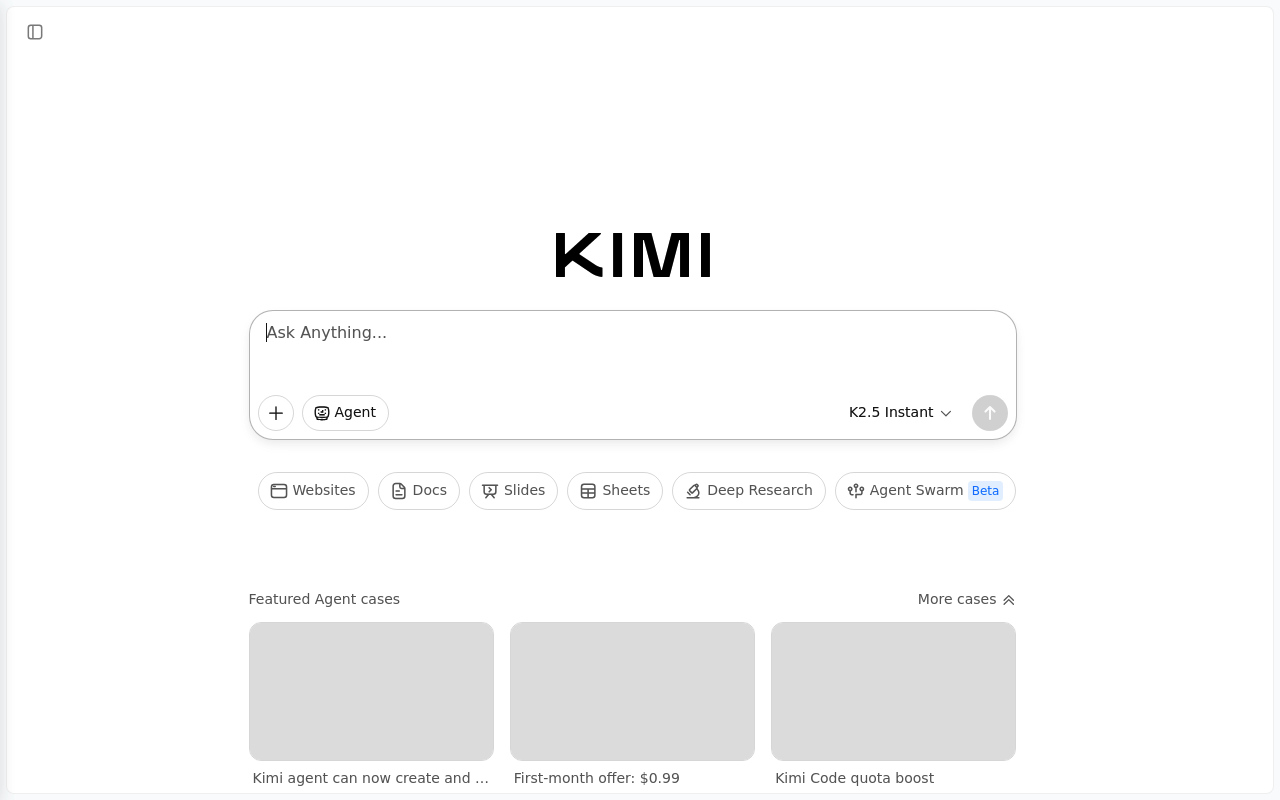
Kimi is an AI Agent that can instantly answer questions, conduct deep research, and create/edit files, boosting productivity.

Productivity & OpsFreemium

Boost this tool

Subscribe to listing upgrades or segmented pushes.

Log in to purchase

Overview

Kimi is an AI-powered agent designed to streamline workflows and boost productivity. It leverages advanced AI to answer questions instantly, conduct in-depth research across websites, documents, slides, and sheets, and even create and edit files. It offers different agent versions and features like Agent Swarm for complex tasks.

Key Features

  • Answers questions instantly using AI.
  • Conducts in-depth research across various sources like websites, documents, and spreadsheets.
  • Creates and edits files directly within the platform.
  • Offers different agent versions, such as K2.5 Instant.
  • Includes Agent Swarm (Beta) for handling complex tasks.

How It Works

Users interact with Kimi through a user-friendly interface by asking questions or specifying tasks. The AI agent accesses and analyzes information from various sources, including websites and documents. It then synthesizes the information and presents it in a clear and concise manner.

Who It's For

Kimi is ideal for professionals, researchers, and anyone looking to save time and effort on information gathering, analysis, and content creation. It's a valuable asset for improving overall efficiency, providing quick answers, detailed research reports, and assistance with document management and editing.

Key Features

Instant Answers - Get quick and concise answers to your questions using AI.
Deep Research - Conduct comprehensive research across websites, documents, slides, and sheets.
File Creation & Editing - Create and edit files directly within the platform.
Agent Swarm (Beta) - Utilize multiple AI agents to tackle complex tasks collaboratively.
Website Integration - Quickly access and analyze information from websites.
Document Analysis - Extract key insights from documents and reports.
Slide Summarization - Quickly understand the key points of presentations.
Sheet Analysis - Analyze data from spreadsheets to identify trends and patterns.
Code Quota Boost - Increased resources for code-related tasks and analysis.

Use Cases & Problems Solved

Use Cases

  • Use when you need to quickly find answers to complex questions across multiple documents and websites.
  • Perfect for conducting in-depth research on a specific topic and generating a summary report.
  • Ideal if you need to create or edit files and require AI assistance with content generation or formatting.
  • Use when you want to automate the process of gathering information from various sources for presentations or reports.
  • Perfect for streamlining workflows by integrating AI-powered research and content creation into your daily tasks.
  • Ideal if you need to analyze large datasets and extract key insights quickly.
  • Use when you're looking to boost productivity by automating time-consuming research and writing tasks.

Problems Solved

  • Eliminates hours spent manually searching for and synthesizing information from multiple sources.
  • Reduces the time required to create and edit documents and presentations.
  • Overcomes information overload by providing concise and relevant answers to complex questions.
  • Automates the process of conducting research and generating reports.
  • Decreases the time spent on repetitive tasks such as data extraction and analysis.

Who It's For

ResearchersStudentsBusiness analystsContent creatorsProject managersMarketing professionals

Fit Analysis

Best For

Best for researchers and professionals who need to quickly access, analyze, and synthesize information from various sources to improve productivity and decision-making.

Not Ideal For

Not ideal for users who require highly specialized AI models tailored to niche industries, as Kimi focuses on general-purpose research and content creation.

Metrics

Discovered2/3/2026
Reviews0
Saved By0 users

Related Tools