Back to Database
Jules
VERIFIED

Jules

82
0.0(0)

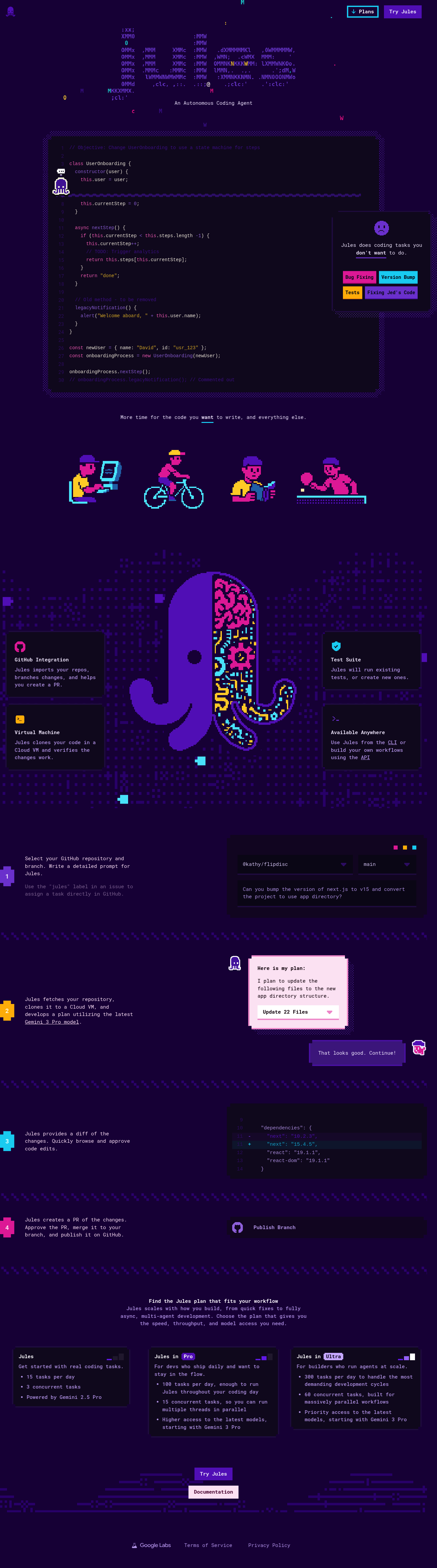
Jules is an autonomous coding agent that automates bug fixes, version bumps, testing, and feature building, freeing developers to focus on core tasks.

Automation & AgentsFreemium

Boost this tool

Subscribe to listing upgrades or segmented pushes.

Log in to purchase

Overview

Jules is an AI-powered autonomous coding agent designed to handle coding tasks that developers often find tedious or time-consuming. It automates processes like bug fixing, version bumping, test creation and execution, and even feature development. By taking care of these tasks, Jules aims to free up developers' time, allowing them to concentrate on more engaging and strategic coding work.

Jules integrates with GitHub, allowing it to import repositories, track changes, and create pull requests. It uses the Gemini 3 Pro model to understand prompts and develop detailed plans for implementing code changes. Jules clones code into a Cloud VM to verify changes before providing a diff for developer review and approval. It also supports CLI and API access for custom workflows.

This tool is ideal for software developers, engineering teams, and anyone looking to improve their coding efficiency. It's beneficial for both quick fixes and complex feature implementations, offering different plans to suit varying needs. Jules empowers developers to ship code faster and more efficiently, boosting overall productivity.

Key Features

GitHub Integration - seamlessly imports repos, branches, and changes.
Test Suite Automation - runs existing tests or creates new ones.
Cloud VM Verification - clones code in a Cloud VM to verify changes.
CLI Access - use Jules directly from the command line.
API Access - build custom workflows using the Jules API.
Gemini 3 Pro Powered - utilizes the latest AI model for intelligent coding.
Automated PR Creation - automatically creates pull requests with code changes.
Detailed Code Diffs - provides clear and concise code diffs for review.

Use Cases & Problems Solved

Use Cases

  • Use when you need to quickly bump a library version across your codebase.
  • Perfect for automating the creation of unit tests for new features.
  • Ideal if you need to fix a bug but are short on time.
  • Use when you want to refactor legacy code to a more modern architecture.
  • Use when you want to generate a new feature based on a detailed description.
  • Perfect for automating repetitive coding tasks.
  • Ideal if you need to integrate automated code changes into your GitHub workflow.

Problems Solved

  • Reduces time spent on repetitive coding tasks.
  • Automates bug fixing and version control.
  • Accelerates software development cycles.
  • Improves code quality through automated testing.
  • Frees up developers to focus on higher-level tasks.

Who It's For

Software developersEngineering teamsDevOps engineersFreelance programmersStartups building new softwareCompanies maintaining large codebases

Fit Analysis

Best For

Best for software developers and engineering teams who need to automate coding tasks and accelerate their development process.

Not Ideal For

Not ideal for users who require complete control over every line of code or prefer a fully manual development process because Jules automates much of the process.

FAQ

Metrics

Discovered2/16/2026
Reviews0
Saved By0 users

Related Tools