Back to Database
Jitter video
VERIFIED

Jitter video

80
0.0(0)

Create stunning animated content fast with Jitter video! Design on-brand animations for social media, UI/UX, logos, and more. Try it free!

Productivity & OpsFreemium

Boost this tool

Subscribe to listing upgrades or segmented pushes.

Log in to purchase

Overview

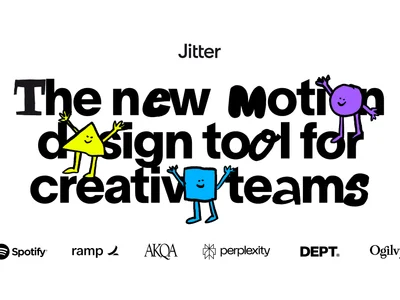
Jitter video is a powerful and intuitive motion design tool that empowers users to create professional-quality animated content with ease. It simplifies the animation process, eliminating the need for complex editing software and enabling anyone to design captivating visuals for social media, websites, apps, logos, and UI/UX projects.

Jitter's user-friendly interface, combined with its extensive library of pre-made templates, makes animation accessible to both beginners and experienced designers. Key features include a Figma plugin for seamless design integration, versatile export options (video, GIF, Lottie), collaborative workspace features for real-time teamwork, and robust admin & security tools for streamlined management.

Jitter is ideal for designers, marketers, and content creators who want to quickly and easily create engaging animated content without the steep learning curve of traditional animation software. It's the perfect solution for anyone looking to enhance their brand's visual appeal, boost engagement on social media, or create eye-catching UI/UX animations.

Key Features

Figma Plugin - animate your Figma designs seamlessly.
Template Library - access a vast library of professionally designed animation templates to get started quickly.
Versatile Export Options - export your animations in various formats, including video, GIF, and Lottie, for maximum compatibility.
Collaboration Tools - collaborate with your team in real-time, share feedback, and streamline the animation process.
Admin & Security Features - ensure a secure and streamlined experience with SSO, centralized billing, and admin tools.
Intuitive Interface - easily create animations without prior experience.
Customizable Templates - adapt existing designs to fit your brand guidelines.
HD Exports - export high-resolution animations for professional use.

Use Cases & Problems Solved

Use Cases

  • Use when you need to create animated social media posts that stand out from the crowd.
  • Perfect for designing animated logos and intro sequences to elevate your brand identity.
  • Ideal if you need to quickly prototype UI/UX animations for your app or website.
  • Use when you want to create animated explainers or tutorials to engage your audience.
  • Perfect for creating animated website banners and ads to drive conversions.
  • Ideal if you need to animate Figma designs without complex software.
  • Use when you want to add motion to your presentations to make them more engaging.

Problems Solved

  • Eliminates the need for expensive and complex animation software.
  • Reduces the time and effort required to create professional-quality animations.
  • Removes the technical barriers to entry for non-animators.
  • Simplifies collaboration on animation projects.
  • Solves the problem of creating engaging content that captures audience attention.

Who It's For

Social media managersMarketing teamsUI/UX designersContent creatorsSmall business ownersFreelance designers

Fit Analysis

Best For

Best for marketers and designers who need to quickly create engaging animated content for social media, websites, and UI/UX projects.

Not Ideal For

Not ideal for professional animators requiring advanced features like character rigging and complex simulations.

Metrics

Discovered12/26/2025
Reviews0
Saved By0 users

Related Tools