Back to Database
InboxPro
VERIFIED

InboxPro

0.0(0)

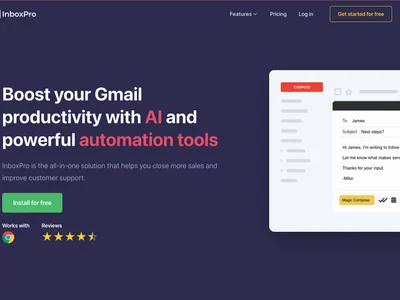
InboxPro streamlines email outreach & follow-up with AI, boosting response rates & saving you time. Automate your inbox today!

Productivity & OpsFreemium

Boost this tool

Subscribe to listing upgrades or segmented pushes.

Log in to purchase

Overview

InboxPro is an AI-powered email automation tool designed to optimize outreach campaigns and maximize response rates. It enables users to create personalized emails, schedule automated follow-ups, and track key metrics through a user-friendly interface. By leveraging AI, InboxPro identifies optimal send times and crafts compelling subject lines.

Key Features

  • Email personalization capabilities for tailored messaging.
  • Automated follow-up sequences to nurture leads.
  • A/B testing for subject lines and email content optimization.
  • Detailed analytics dashboards for performance tracking.
  • Integration with popular CRM and sales tools.

How It Works

InboxPro connects to existing email accounts like Gmail or Outlook. Users can create custom email sequences with personalized messages and automated follow-ups. The AI engine analyzes recipient behavior and optimizes send times to maximize engagement.

Who It's For

InboxPro is ideal for sales professionals, marketing teams, and recruiters seeking to scale email outreach efforts while maintaining a personal touch. It provides an efficient solution to automate inboxes and achieve better results.

Key Features

AI-powered email personalization - create highly targeted and relevant messages.
Automated follow-up sequences - schedule and send follow-up emails automatically.
A/B testing - experiment with different subject lines and email content to optimize performance.
Detailed analytics dashboards - track key metrics like open rates, click-through rates, and response rates.
CRM integration - seamlessly integrate with popular CRM platforms like Salesforce and HubSpot.
Email scheduling - schedule emails to be sent at the optimal time for maximum engagement.
Lead scoring - prioritize leads based on their engagement with your emails.
Email templates - use pre-built templates to quickly create professional-looking emails.

Use Cases & Problems Solved

Use Cases

  • Use when you need to automate follow-up emails to nurture leads and close deals.
  • Perfect for sales teams looking to increase response rates and book more meetings.
  • Ideal if you need to send personalized email campaigns at scale without manual effort.
  • Use when you want to A/B test different subject lines and email content to optimize your outreach.
  • Perfect for recruiters who need to reach out to a large number of candidates and track engagement.
  • Ideal if you need to integrate your email outreach with your existing CRM or sales automation platform.
  • Use when you want to track key metrics like open rates, click-through rates, and response rates to measure the effectiveness of your email campaigns.

Problems Solved

  • Eliminates the need for manual email follow-up, saving hours of administrative work.
  • Reduces the risk of leads falling through the cracks due to lack of follow-up.
  • Improves email deliverability and reduces the likelihood of emails landing in spam folders.
  • Overcomes low response rates by personalizing email content and optimizing send times.
  • Eliminates guesswork in email marketing by providing data-driven insights into campaign performance.

Who It's For

Sales professionalsMarketing teamsRecruitersBusiness development managersStartupsSmall business owners

Fit Analysis

Best For

Best for sales and marketing teams who need to automate email outreach and follow-up to generate more leads and close more deals.

Not Ideal For

Not ideal for individuals who only send a handful of emails per day and don't require automated follow-up or advanced analytics.

Metrics

Discovered12/29/2025
Reviews0
Saved By0 users

Related Tools

InboxPro Review, Pricing & Alternatives (2026) | Flaex AI