Back to Database
Gooey.AI
VERIFIED

Gooey.AI

0.0(0)

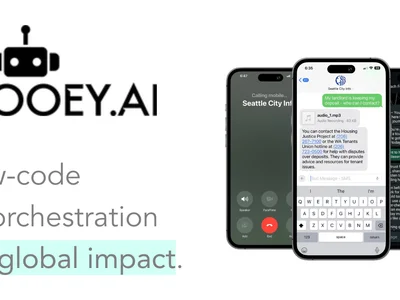
Gooey.AI simplifies AI integration. Build & deploy custom AI workflows without coding, saving time and resources.

Productivity & OpsFreemium

Boost this tool

Subscribe to listing upgrades or segmented pushes.

Log in to purchase

Overview

Gooey.AI is a no-code platform that empowers users to create, customize, and deploy AI workflows with ease. It eliminates the complexities of coding and technical expertise, making AI accessible to everyone. The platform streamlines the process of connecting different AI models and data sources into cohesive, automated pipelines. The key benefit is rapid AI solution deployment, bypassing lengthy development cycles.

Gooey.AI utilizes a drag-and-drop interface to visually construct AI workflows. Users can select from a library of pre-built AI models, connect to external APIs, and upload their own data. Key features include visual workflow editing, real-time data monitoring, and automated deployment options. The platform also supports version control and collaboration, enabling teams to work together effectively.

Gooey.AI is ideal for businesses, entrepreneurs, and researchers who want to leverage the power of AI without writing code. It's perfect for those who need to automate tasks, analyze data, or create AI-powered applications quickly and efficiently. Users choose Gooey.AI to avoid the high costs and time associated with traditional AI development and to gain a competitive edge by rapidly deploying AI solutions.

Key Features

Visual Workflow Builder - create AI pipelines with a drag-and-drop interface.
Pre-built AI Model Library - access a wide range of AI models for various tasks.
API Integration - connect to external APIs and data sources seamlessly.
Customizable Workflows - tailor AI pipelines to specific business needs.
Automated Deployment - deploy AI solutions with a single click.
Real-time Monitoring - track data flow and performance in real-time.
Version Control - manage and revert to previous versions of workflows.
Collaboration Tools - enable teams to work together on AI projects.
Data Transformation - easily transform data within the workflow.
Scalable Infrastructure - handle large volumes of data and complex AI models.

Use Cases & Problems Solved

Use Cases

  • Use when you need to automate repetitive tasks using AI models.
  • Perfect for building custom AI-powered applications without coding.
  • Ideal if you need to quickly prototype and deploy AI workflows.
  • Use when integrating multiple AI models and data sources into a single pipeline.
  • Use when you want to enable non-technical teams to build and manage AI solutions.
  • Perfect for automating data analysis and reporting with AI.
  • Ideal if you need to rapidly experiment with different AI configurations.

Problems Solved

  • Eliminates the need for extensive coding knowledge to build AI solutions.
  • Reduces the time and cost associated with traditional AI development.
  • Simplifies the integration of multiple AI models and data sources.
  • Democratizes AI access for non-technical users.
  • Automates complex data workflows, improving efficiency.

Who It's For

Business analystsData scientists (for rapid prototyping)EntrepreneursResearchersSmall business ownersMarketing teams

Fit Analysis

Best For

Best for business users and data scientists who need to build and deploy AI workflows quickly and without coding.

Not Ideal For

Not ideal for users who require extremely low-level control over AI model parameters or custom hardware integration, as the platform prioritizes ease of use over granular control.

Metrics

Discovered12/29/2025
Reviews0
Saved By0 users

Related Tools