Back to Database
Fabrie
VERIFIED

Fabrie

0.0(0)

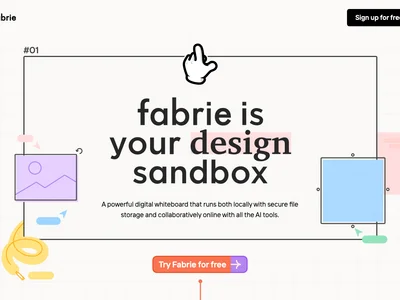
Fabrie: Collaborate visually and brainstorm effectively in a shared online workspace. Boost team creativity and productivity!

Productivity & OpsFreemium

Boost this tool

Subscribe to listing upgrades or segmented pushes.

Log in to purchase

Overview

Fabrie is a visual collaboration platform that provides teams with a dynamic online workspace for brainstorming, planning, and project execution. It offers a shared digital canvas where users can create mind maps, flowcharts, mood boards, and other visual representations to foster real-time collaboration and enhanced communication. Fabrie helps teams move beyond static documents and embrace a more interactive way of working.

Key Features

  • Intuitive interface for easily adding text, images, links, and other media to the canvas.
  • Real-time collaboration enabling multiple team members to contribute simultaneously.
  • Customizable templates to streamline various workflows.
  • Version history to track changes and revert to previous states.
  • Commenting for providing feedback and discussing ideas directly on the canvas.
  • Integrations with popular productivity tools to enhance workflow.
  • Supports various visual formats for brainstorming, project planning, and knowledge management.

Who It's For

Fabrie is designed for product teams, design teams, marketing teams, and educators seeking a collaborative visual space. It's particularly useful for teams that want a more engaging and dynamic alternative to traditional document-based collaboration tools, helping them unlock collective creativity and drive better outcomes.

Key Features

Real-time collaboration - enable multiple team members to work simultaneously.
Visual canvas - create mind maps, flowcharts, mood boards, and other visual representations.
Customizable templates - quickly start projects with pre-designed layouts.
Version history - track changes and revert to previous versions.
Commenting - provide feedback and discuss ideas directly on the canvas.
Image and media upload - add visual elements to enhance collaboration.
Integrations - connect with popular productivity tools like Slack and Google Workspace.
Secure workspace - protect sensitive information with robust security measures.

Use Cases & Problems Solved

Use Cases

  • Use when you need a shared digital whiteboard for brainstorming sessions.
  • Perfect for remote teams looking to collaborate visually on projects.
  • Ideal if you need to create mind maps, flowcharts, and other visual representations of ideas.
  • Use when planning a new marketing campaign and need a visual space to organize ideas.
  • Perfect for design teams collaborating on mood boards and visual concepts.
  • Ideal if you need to facilitate interactive workshops and presentations.
  • Use when onboarding new team members and need to visually explain processes.

Problems Solved

  • Eliminates the limitations of traditional document-based collaboration.
  • Reduces communication barriers in remote teams.
  • Overcomes the challenges of brainstorming in distributed environments.
  • Solves the problem of keeping track of multiple versions of visual documents.
  • Removes friction in collaborative idea generation and project planning.

Who It's For

Product teamsDesign teamsMarketing teamsRemote teamsEducatorsProject managers

Fit Analysis

Best For

Best for remote and hybrid teams who need a visual collaboration platform to brainstorm, plan, and execute projects more effectively.

Not Ideal For

Not ideal for individuals who primarily work alone and don't require real-time collaboration features.

Metrics

Discovered12/29/2025
Reviews0
Saved By0 users

Related Tools