Back to Database
Codiga
VERIFIED

Codiga

0.0(0)

Codiga (now Datadog Static Analysis) helps developers write clean, secure code with customizable static analysis rules for IDEs and CI/CD pipelines.

Dev ToolsFreemium

Boost this tool

Subscribe to listing upgrades or segmented pushes.

Log in to purchase

Overview

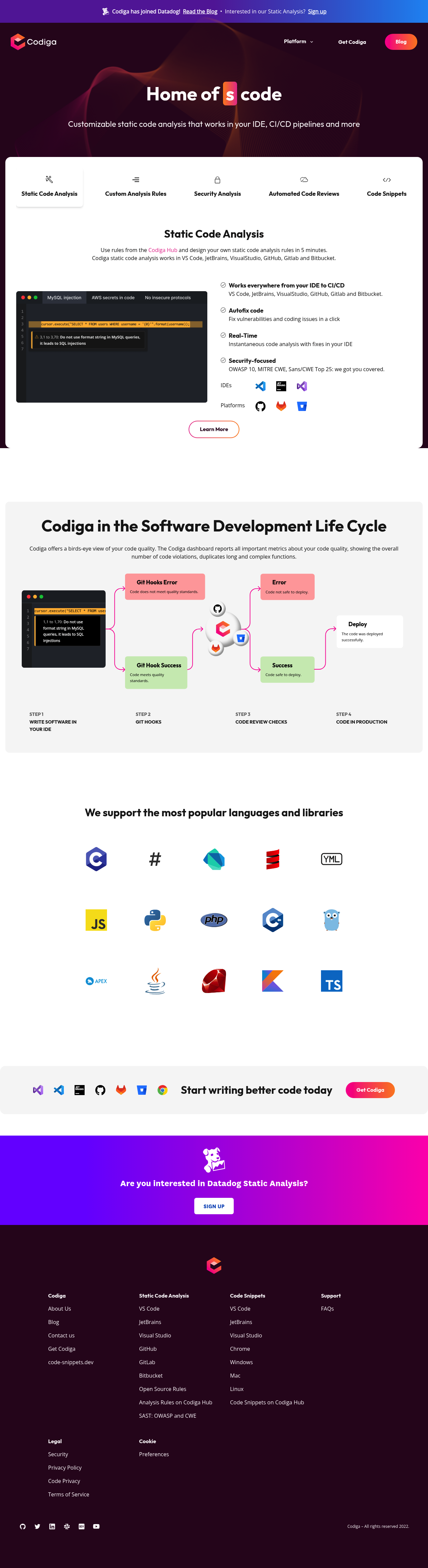
Codiga (now part of Datadog) is a static code analysis tool that helps developers improve code quality and security. It enables users to define and enforce coding standards, identify vulnerabilities, and automate code reviews. By integrating directly into IDEs and CI/CD pipelines, Codiga provides real-time feedback to prevent issues before they reach production.

Key Features

  • Customizable analysis rules.
  • Security analysis based on OWASP 10, MITRE CWE, and Sans/CWE Top 25.
  • Automated code reviews.
  • Ability to create custom rules and share them within a team or publicly on the Codiga Hub.
  • Support for multiple IDEs (VS Code, JetBrains, Visual Studio).
  • Compatibility with platforms like GitHub, GitLab, and Bitbucket.

Who It's For

Codiga is designed for software development teams, security engineers, and individual developers. It's particularly useful for those looking to improve code quality, reduce vulnerabilities, and streamline the code review process. It offers a way to standardize coding practices, enforce security policies, and catch errors early in the development lifecycle, leading to more reliable and maintainable software.

Key Features

Customizable analysis rules - create rules tailored to your project's needs.
Static code analysis - automatically identify code quality and security issues.
Security analysis - detect vulnerabilities based on OWASP 10, MITRE CWE, and Sans/CWE Top 25.
Automated code reviews - streamline the code review process.
IDE integration - integrate with VS Code, JetBrains, and Visual Studio for real-time feedback.
CI/CD integration - integrate into your CI/CD pipeline for automated analysis.
Codiga Hub - share and discover code analysis rules.
Autofix code - Fix vulnerabilities and coding issues in a click.

Use Cases & Problems Solved

Use Cases

  • Use when you need to ensure code adheres to specific coding standards.
  • Use when you want to automatically identify potential security vulnerabilities in your code.
  • Use when integrating static code analysis into your CI/CD pipeline.
  • Perfect for teams that need to standardize coding practices across multiple developers.
  • Ideal if you need to create custom code analysis rules tailored to your project's specific requirements.
  • Use when you want real-time feedback on code quality directly in your IDE.
  • Ideal when needing to share code analysis rules and rulesets with your team.

Problems Solved

  • Reduces the risk of security vulnerabilities in your codebase.
  • Eliminates inconsistencies in coding style and practices.
  • Reduces time spent on manual code reviews.
  • Prevents common coding errors from reaching production.
  • Enforces adherence to industry best practices (OWASP, MITRE CWE).

Who It's For

Software developersSecurity engineersDevOps engineersDevelopment teamsCode reviewersTechnical leads

Fit Analysis

Best For

Best for software development teams and security engineers who need to automate code analysis and enforce coding standards to improve code quality and security.

Not Ideal For

Not ideal for non-technical users or those without coding experience, as it requires understanding of code and coding standards.

Metrics

Discovered1/16/2026
Reviews0
Saved By0 users

Related Tools

Codiga Review, Pricing & Alternatives (2026) | Flaex AI