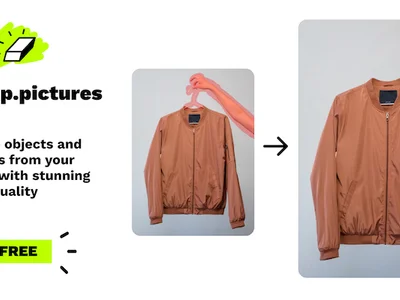
Cleanup.pictures & Clipdrop: Effortlessly remove unwanted objects & defects from photos with AI-powered image inpainting. Get flawless visuals!
Boost this tool
Subscribe to listing upgrades or segmented pushes.
Cleanup.pictures, now integrated with Clipdrop, is an AI-powered tool designed to remove unwanted objects, people, text, and defects from images with remarkable ease. It uses advanced inpainting algorithms to intelligently fill in the removed areas, creating a seamless and natural-looking result. Whether you need to remove a distracting background element, fix a blemish, or eliminate unwanted text, Cleanup.pictures offers a quick and efficient solution for achieving pristine visuals. The integration with Clipdrop expands functionality to include other AI-powered image editing tools.
The tool works by allowing users to simply brush over the areas they want to remove. The AI then analyzes the surrounding pixels and intelligently generates content to replace the selected area. Key features include high-resolution output, an intuitive user interface, and the ability to handle complex scenes. The 'Inpaint Anything' tool allows users to remove any object by simply clicking on it. The Clipdrop integration further enhances its capabilities by offering features like background removal, image upscaling, and object relighting.
Cleanup.pictures and Clipdrop are ideal for photographers, e-commerce businesses, designers, and anyone who needs to quickly and easily clean up images. It's a valuable tool for creating professional-looking product photos, removing distractions from personal photos, or preparing images for marketing materials. Those who want a fast, user-friendly, and effective way to remove unwanted elements from their images will find Cleanup.pictures and Clipdrop an indispensable asset.
Best for anyone who needs to quickly and easily remove unwanted objects or imperfections from images to create clean, professional-looking visuals.
Not ideal for users who require extremely precise and intricate image manipulation, as the AI-powered removal may not always be perfect for complex scenarios.
