Back to Database
Audio Converter AI
VERIFIED

Audio Converter AI

0.0(0)

Audio Converter AI: Effortlessly convert audio files to any format online. Fast, free, and easy to use for all your audio conversion needs!

Productivity & OpsFreemium

Boost this tool

Subscribe to listing upgrades or segmented pushes.

Log in to purchase

Overview

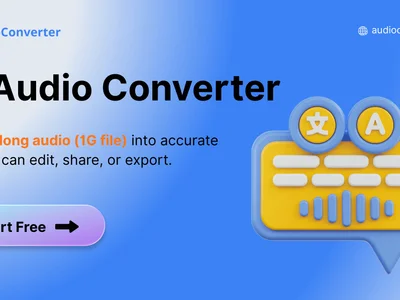
Audio Converter AI is a powerful online tool designed to simplify audio file conversion. It allows users to convert audio files from one format to another quickly and easily, supporting a wide range of popular audio formats. This eliminates the frustration of dealing with incompatible audio files and ensures seamless playback and editing across different devices and platforms. The primary benefit is saving time and effort by providing a user-friendly interface and fast conversion speeds.

Audio Converter AI works by uploading your audio file to their secure server. You then select the desired output format from a comprehensive list. The AI-powered engine processes the conversion, and you can download the converted file in seconds. Key features include support for MP3, WAV, AAC, FLAC, OGG, and more; batch conversion capabilities for processing multiple files simultaneously; adjustable audio quality settings to optimize file size and fidelity; and a clean, intuitive interface requiring no technical expertise.

Audio Converter AI is perfect for musicians, podcasters, video editors, students, and anyone who frequently works with audio files. Whether you need to convert audio for compatibility reasons, reduce file size for storage, or optimize audio for specific platforms, this tool provides a simple and efficient solution. Choose Audio Converter AI to streamline your audio workflow and eliminate compatibility headaches.

Key Features

Wide format support - convert to and from MP3, WAV, AAC, FLAC, OGG, and more.
Batch conversion - convert multiple files simultaneously for increased efficiency.
Adjustable audio quality - customize bitrate and sample rate for optimal file size and quality.
User-friendly interface - easy to use, even for beginners.
Fast conversion speeds - convert audio files quickly and efficiently.
Secure online platform - ensures the privacy and security of your audio files.
No software installation required - access the tool directly from your web browser.
Free to use - convert audio files without any cost.

Use Cases & Problems Solved

Use Cases

  • Use when you need to convert audio files for playback on different devices.
  • Use when you want to reduce the file size of large audio files without sacrificing quality.
  • Use when you need to convert audio files to a specific format required by audio editing software.
  • Use when sharing audio files with others who may have different software or devices.
  • Perfect for podcasters who need to convert audio recordings for distribution on various platforms.
  • Ideal if you need to convert audio from a video file to a separate audio track.
  • Use when you want to create ringtones from your favorite songs.

Problems Solved

  • Eliminates incompatibility issues between different audio file formats.
  • Reduces the time and effort required to manually convert audio files using complex software.
  • Simplifies audio file sharing by ensuring compatibility across various devices and platforms.
  • Reduces large audio file sizes for easier storage and transfer.
  • Solves the problem of needing specific audio formats for different applications.

Who It's For

MusiciansPodcastersVideo editorsAudio engineersStudentsContent creators

Fit Analysis

Best For

Best for podcasters and content creators who need to quickly and easily convert audio files for distribution and editing.

Not Ideal For

Not ideal for professional audio engineers requiring advanced audio processing and editing capabilities beyond simple format conversion.

Metrics

Discovered12/28/2025
Reviews0
Saved By0 users

Related Tools