
10 Best AI Tools for Content Creators in 2026
Flaex Team

In 2026, AI tools are transforming how content creators work, helping them produce more content faster and with less effort. From generating text and videos to streamlining workflows, these tools are designed to save time and simplify complex tasks. Here's a quick look at the top AI tools for creators this year:
AI Tools Directory: A platform offering 1,527+ AI tools for every content creation need.
Claude (Anthropic): Excels in long-form content with a 200,000-token context window.
Jasper: A content hub for planning, creating, and distributing branded materials.
ChatGPT + Custom GPTs: Combines text, image, and voice generation for diverse content.
Opus Clip: Turns long videos into short, platform-optimized clips.
Canva AI (Magic Studio): Simplifies design with text-to-graphic and video features.
Descript: Edits audio and video by modifying transcripts.
ElevenLabs: Offers advanced voice cloning and dubbing.
HeyGen: Creates lifelike talking-head videos without cameras.
Lumen5: Converts blog posts into professional-quality videos.
These tools help creators overcome challenges like editing, scripting, and multi-platform promotion, allowing them to focus on storytelling and audience engagement. Whether you're a solo creator or part of a team, these AI solutions can make your workflow faster and more efficient.
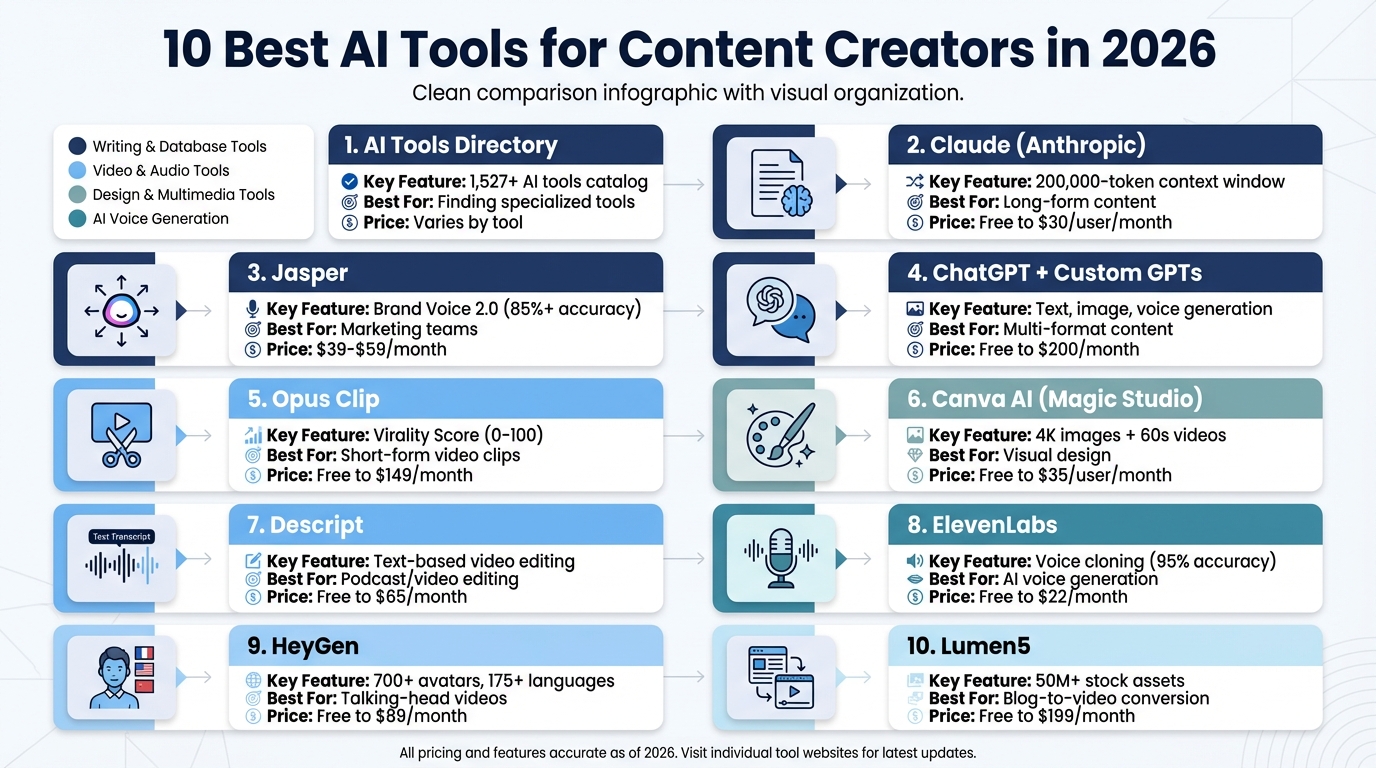
Top 10 AI Tools for Content Creators 2026 Comparison Chart
Top 5 AI Tools For Content Creators in 2026
1. AI Tools Directory
The AI Tools Directory is a one-stop resource for content creators, offering access to more than 1,527 carefully selected AI tools that cover every phase of the content creation process. Instead of juggling multiple platforms, creators can pinpoint tools tailored to their specific needs, whether it’s for designing thumbnails, writing scripts, or editing videos. This centralized platform simplifies workflows and sets the stage for exploring cutting-edge tools.
Content Generation Capabilities
The platform also streamlines copywriting by generating customized captions, conducting hashtag research, and crafting text optimized for platforms like LinkedIn, TikTok, Instagram, and X. This allows creators to produce social media content that resonates with each platform’s algorithms and audience preferences.
AI-Driven Customization and Automation
Beyond basic AI tools, the directory introduces creators to "Agentic AI" - advanced systems capable of performing multi-step tasks across various platforms without requiring manual input. It also provides guidance for building a "Generative AI Roadmap" tailored to match a creator’s brand voice and workflow. This thoughtful approach helps users avoid the overwhelm of too many tools, focusing instead on solutions that deliver measurable results.
Integration with Popular Platforms
The directory consolidates top AI models for generating text, images, and videos into a single, accessible space. Tools like AirOps, for example, offer over 10 CMS integrations and connect with multiple data providers, automating tasks across platforms like WordPress, Google Docs, and social media. Users can filter tools by categories such as free options, top-rated solutions, or the latest releases. AI-powered recommendations further help creators build a customized tech stack that aligns with their goals and budget.
2. Claude (Anthropic)
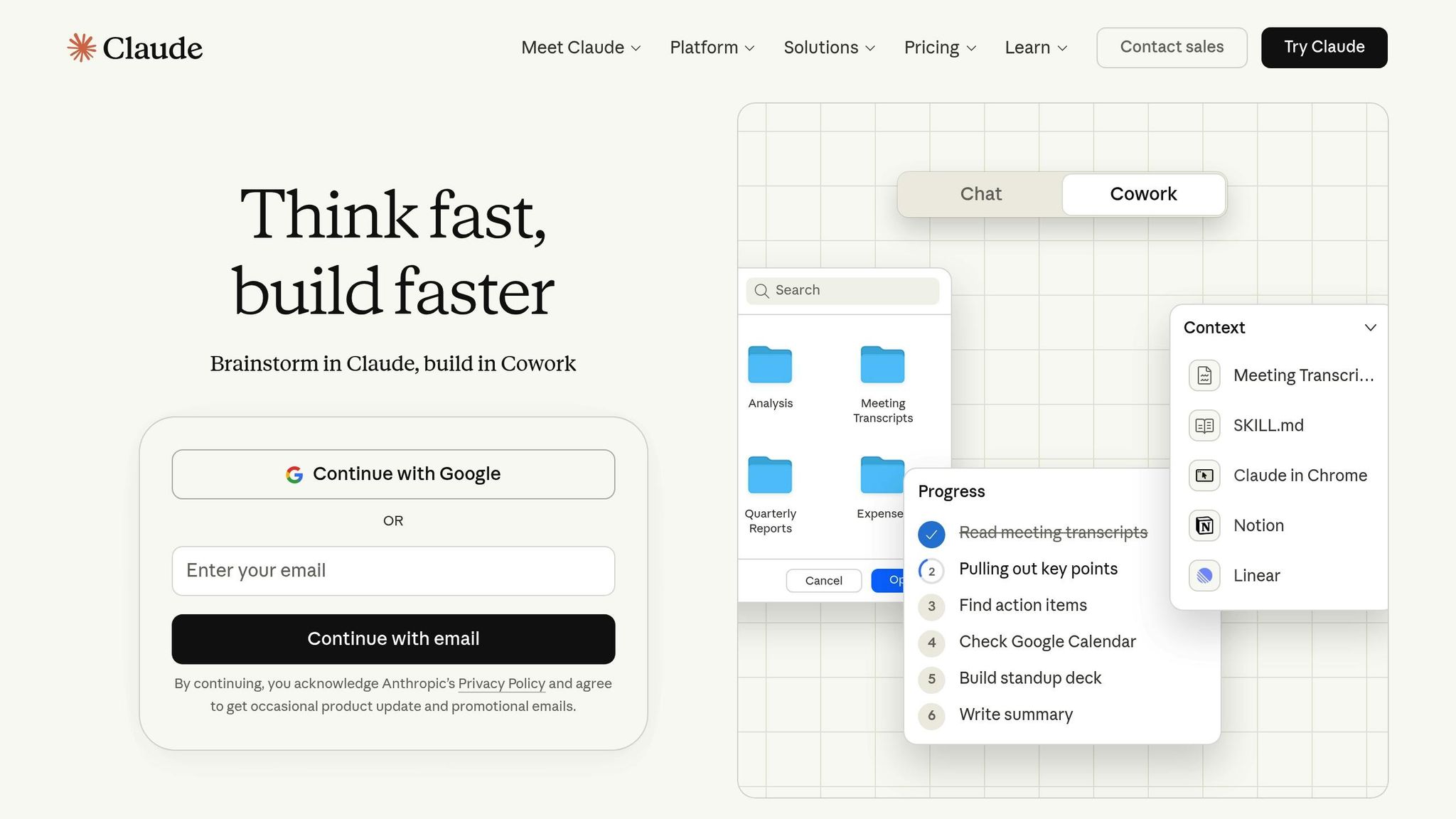
Claude 4.5 Sonnet is designed to produce prose that feels genuinely human, making it a solid choice for editorial essays, thought leadership articles, and in-depth long-form content. Its features address the growing need for consistent and efficient content creation, challenges that many creators face in 2026. Here's a closer look at its standout capabilities, automation tools, and integration options.
Content Generation Capabilities
Claude shines in crafting lengthy pieces, thanks to its impressive 200,000-token context window. This allows it to handle entire blog posts or complex research in a single prompt. It can also adapt to intricate stylistic instructions without needing multiple examples, making it capable of replicating professional personas or even historical writing styles. The tool includes a side feature called Artifacts, which is useful for producing structured outputs like code, tables, or formatted documents. In evaluations, Claude earned a score of 87/100 for its ability to create high-quality content, demonstrating its knack for nuanced reasoning and retaining context effectively.
AI-Driven Customization and Automation
Claude is built to transform one input into multiple content formats while keeping the brand's voice intact. For example, it can take a video transcript and turn it into blog posts, social media threads, and newsletters - all in one go. Tests reveal it can cut the editing time for technical documentation by 60%. The "Projects" feature, available in Pro and Team plans, helps organize chats and ensures consistency across larger content campaigns.
Integration with Popular Platforms
Claude integrates seamlessly with Google Workspace tools like Google Docs, Gmail, and Calendar, making document management more efficient. Pro and Max users also benefit from "Claude in Excel", which supports data analysis and content organization directly within spreadsheets. For businesses with high content demands, API access is available at $3 per million input tokens and $15 per million output tokens for Claude 4.5 Sonnet. Pricing tiers include a free plan with basic access, a Pro plan at $20 per month, and Team plans starting at $30 per user per month.
3. Jasper
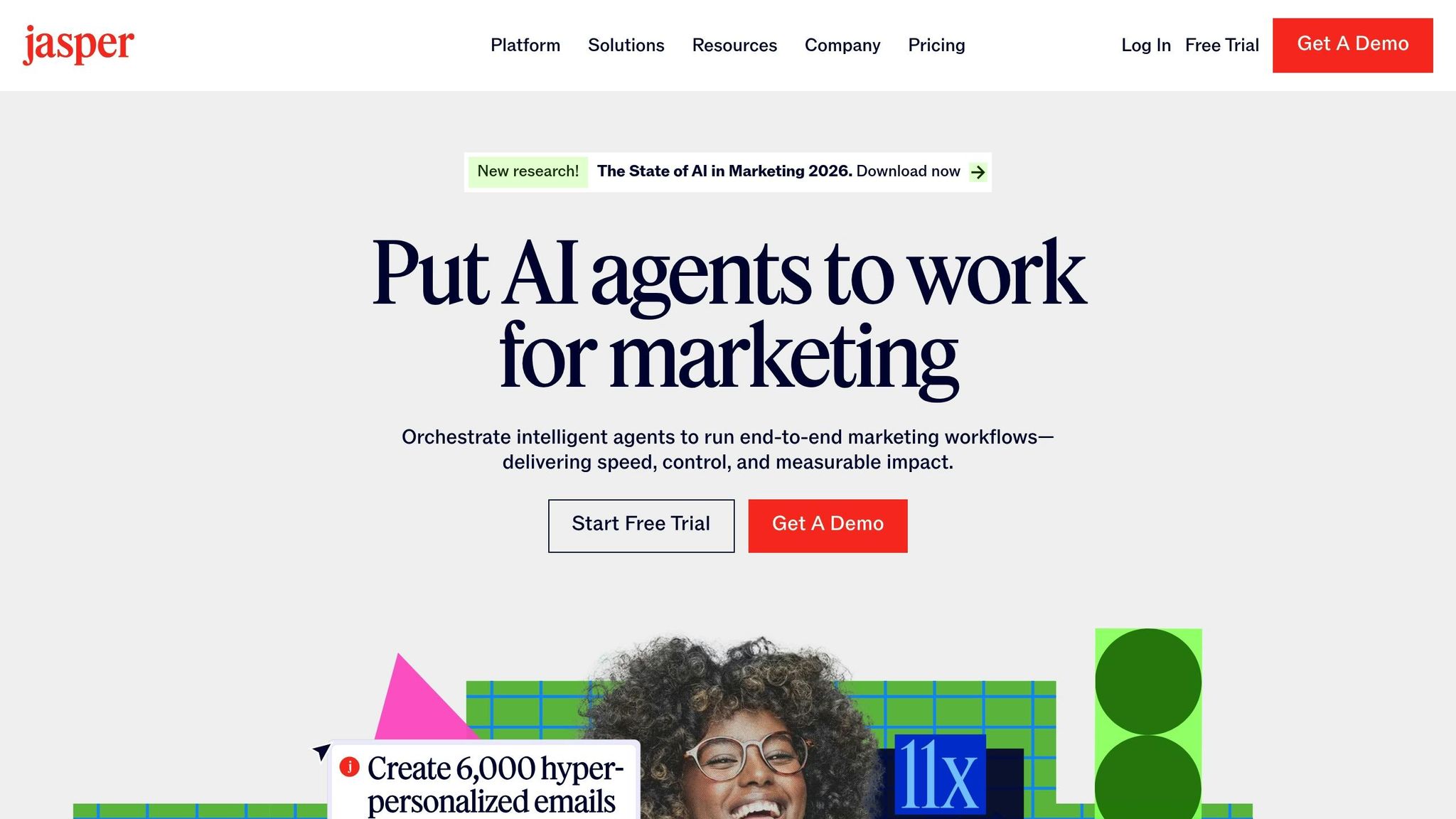
Jasper is a tool designed to streamline content creation, acting as a centralized system for managing the entire content lifecycle - from planning to distribution. Built with marketing teams in mind, it serves as a hub to keep all content aligned with your brand. This platform supports everything from generating content to customizing it, all while integrating seamlessly with other tools.
Content Generation Capabilities
Jasper’s model-agnostic engine automatically picks the most suitable large language model (LLM) for each task, removing the need for manual selection. With just one campaign brief, Jasper can produce content across multiple formats at once - blog posts, landing pages, ads, social media captions, and even visuals. It offers over 50 specialized templates for tasks like writing product descriptions, email newsletters, and SEO-friendly articles. For a more structured approach, Jasper Grid provides a spreadsheet-style interface to streamline content production.
On top of its ability to generate content, Jasper also simplifies and enhances workflows through automation.
AI-Driven Customization and Automation
Jasper’s Content Pipelines connect every stage of the content lifecycle, combining data, creativity, and distribution into one cohesive system. Its Marketing AI Agents can independently handle tasks like conducting research, summarizing lengthy documents, turning raw notes into drafts, and adapting content to fit different platforms - all without constant oversight. The Brand Voice 2.0 feature, powered by Jasper IQ, learns your style guides, product details, and company information to ensure consistent tone and messaging, achieving an accuracy rate of over 85%.
"Jasper positions itself specifically for marketing teams with its 'Brand Voice 2.0' feature that learns your brand tone and ensures every blog, social caption, or ad reflects your identity".
Integration with Popular Platforms
Jasper integrates effortlessly with tools you already use. It offers browser extensions for Chrome and Edge, a dedicated API, and the Jasper MCP (Model Context Protocol), allowing users to create and edit content directly within platforms like WordPress, Google Docs, or social media apps - all while keeping the brand voice intact. Additional integrations with tools like Grammarly and SurferSEO help refine content quality and optimize it for search engines. Pricing starts at $39 per month for the Creator plan, $59 per month for the Pro plan (billed annually), with custom pricing available for enterprise teams.
4. ChatGPT + Custom GPTs
ChatGPT has become a powerhouse for content creation, offering a suite of tools that go beyond just text. The GPT-5.2 model combines text generation, image creation through DALL-E, and voice input/output - all within one interface. With it, you can draft blog outlines, write video scripts, craft social media captions, and even generate logos, provided you give clear instructions. This all-in-one approach is perfect for creators juggling multiple content formats, eliminating the need to switch between tools. Let’s dive into its specialized features, automation options, and integrations.
Content Generation Capabilities
The GPT Store is where ChatGPT truly shines, offering Custom GPTs tailored to specific tasks. These specialized bots handle unique content needs with precision. For example:
"Write For Me": Focused on SEO-optimized long-form content, managing word counts effectively, and boasting over 5 million conversations.
"VideoGPT by VEED": Designed for creating prompts for short-form video projects.
"Copywriter GPT": Produces structured ad copy for marketing campaigns.
Visual Tools: "Thumbnail Expert" and "Blog Image Generator" help create eye-catching YouTube thumbnails and blog visuals.
For those who need structured outputs, ChatGPT can generate content in formats like tables, CSV, or JSON. This makes it easy to import directly into spreadsheets or content management systems.
"ChatGPT is my favorite tool for fast ideas and drafts." - Alberto Araujo, Visme
AI-Driven Customization and Automation
ChatGPT’s Memory feature and Custom Instructions are game-changers for maintaining consistency. These tools remember your brand’s tone and style, so you don’t have to repeat prompts. You can even upload your style guides or examples of successful past content to a Custom GPT for seamless alignment.
Another standout feature is Deep Research, which pulls up-to-date information from multiple web sources and cites them in your drafts. This is especially useful for fact-checking or creating content that needs to stay current. It’s no wonder ChatGPT has a 4.7/5 rating on G2 from over 900 reviews, with users highlighting its ability to match their voice and style when configured correctly.
Integration with Popular Platforms
ChatGPT integrates effortlessly with tools like Google Drive, SharePoint, and Slack, allowing teams to review drafts within their existing workflows. Automation tools like Zapier and Make take it a step further, enabling tasks like extracting product data to generate and log ad copy for review.
Additionally, browser extensions and CMS plugins let you work directly within platforms like WordPress, social media tools, or email systems, so you don’t have to keep switching tabs.
Pricing options include:
Free: Limited GPT-5.2 features.
ChatGPT Plus: $20/month for full access to Custom GPTs.
Teams: $25–$30 per user/month (minimum 2 users).
Pro: $200/month for advanced features.
5. Opus Clip
Opus Clip is an AI tool designed to streamline the process of creating short, engaging videos from longer content. With over 12 million creators and businesses using it, this tool identifies the most captivating moments from podcasts, interviews, vlogs, and even gaming streams. It then converts these into short clips optimized for platforms like TikTok, Instagram Reels, and YouTube Shorts. Its ClipAnything model stands out by analyzing visual elements, audio cues, and sentiment, making it versatile enough to handle everything from sports highlights to lifestyle content.
Content Generation Capabilities
Opus Clip introduces a Virality Score, which rates your clips on a scale from 0 to 100, based on patterns observed in thousands of viral videos. This feature helps creators prioritize their most promising posts. Additionally, the tool integrates AI B-roll, automatically inserting relevant stock footage to match the context of your video. Users have reported saving up to 90% of the time they would typically spend manually creating short clips. For instance, jraahpodcast experienced a 57% increase in total watch time after adopting Opus Clip, while veteransarchives saw their watch-through rate jump from 1-3% to over 12%.
"It used to take days to create clips. Now, clips are produced in minutes." - Lewis Howes, Creator
Media Editing and Enhancement Features
The tool’s ReframeAnything feature uses AI object tracking to keep the subject centered and adjusts framing for different aspect ratios such as 9:16, 1:1, and 16:9. It also includes Filler Word Removal, which automatically eliminates "ums", "uhs", and other awkward pauses, ensuring a smoother final product. Multilingual auto-captioning, with an accuracy rate of 97%, further simplifies the editing process by eliminating the need for manual transcription. One creator, BurstonWithComedy, saw their video views surge from 60-200 to 500-1,000 after using Opus Clip's hook optimization feature.
Integration with Popular Platforms
Opus Clip supports direct scheduling and posting across major social platforms for users on paid plans. In January 2026, the company rolled out an iOS app, allowing creators to clip and share content directly from their mobile devices. The Pro plan also includes team workspaces for collaborative projects, while the API integration lets businesses incorporate Opus Clip’s features into their own systems.
Pricing options include a Free Plan (60 processing minutes per month with watermarks), Starter Plan ($15–$19/month for 150–200 credits), Pro Plan ($29–$49/month with AI B-roll and 300–500 credits), and Business Plan ($149/month for 2,000 credits).
6. Canva AI (Magic Studio)
Canva AI has taken visual content creation to a whole new level. What started as a simple design tool has now transformed into what some call an "operating system for visual communication". By 2026, Canva AI integrates powerful models like GPT-5, Gemini Ultra, and Runway Gen-3 into a single platform, eliminating the hassle of juggling multiple tools. With a stellar 4.7/5 rating on G2 from over 5,800 reviews and reports of saving up to 70% of the time spent on tasks like building social media calendars, it's clear why so many creators are turning to Canva AI for its efficiency. Let’s dive into how this platform simplifies and supercharges visual content creation.
Content Generation Capabilities
Canva AI’s tools are designed to make content creation seamless and fast. Magic Media allows users to generate stunning 4K images and 60-second videos, all powered by Runway’s advanced AI technology. Need custom graphics? The Text to Graphic feature creates icons, stickers, and illustrations in seconds, ready to integrate into your designs. Writing copy is just as easy with Magic Write, Canva’s built-in AI writer, which can produce headlines, captions, and even blog posts while matching your brand’s tone through the Brand Voice feature. For those looking to elevate their designs, Magic Morph applies 3D textures or transforms shapes with just a prompt.
Media Editing and Enhancement Features
Canva AI also excels at refining visuals. Magic Edit lets you alter specific parts of an image with a brush, while Magic Expand adjusts borders effortlessly. Want to isolate subjects or clean up visuals? Tools like Magic Grab, Background Remover, and Magic Eraser make it easy to perfect both images and videos.
AI-Driven Customization and Automation
Customization and automation are at the heart of Canva AI. Magic Switch 3.0 converts designs into different formats - turn a presentation into a blog post or a whiteboard into a summary email - and supports translations in over 150 languages, all while maintaining your typography. The Bulk Create feature is a game-changer for scaling content, allowing you to generate hundreds of unique posts or product descriptions using CSV files. To ensure brand consistency, Brand Shield enforces your color palettes, fonts, and tone across all AI-generated assets.
Integration with Popular Platforms
Canva AI integrates seamlessly with other tools to streamline workflows. Through its Apps Marketplace, you can connect external AI models like OpenAI’s DALL-E and Google’s Imagen directly into your projects. The integration with Zapier allows you to automate design creation based on data from platforms like Google Sheets, while the Slack integration enables you to generate banners using simple slash commands. For agencies, the Connect API offers OAuth 2.0 authentication, making it possible to build custom tools that interact with Canva’s Brand Kits.
Pricing is straightforward: the Free plan includes 50 lifetime Magic Write uses, Canva Pro costs $16.99/month and provides 500 AI credits, and the Teams plan is $35.00 per user per month, offering unlimited credits under fair use.
7. Descript
Descript stands out as a tool designed to simplify and elevate audio and video production, making it a favorite among podcasters, YouTubers, and marketers. Unlike traditional editing methods that rely heavily on complex timelines, Descript allows users to edit media by directly modifying a transcript. For instance, deleting a sentence in the transcript automatically removes the corresponding audio or video segment. This efficiency can cut podcast editing time from three hours to just 45 minutes. Its impressive capabilities make it a go-to solution for creators looking to streamline their workflows.
Content Generation Capabilities
One of Descript's standout features is Overdub, which allows users to fix errors by typing corrections. The tool uses just three minutes of training data to generate a synthesized voice for these edits. While Overdub is ideal for minor fixes, longer passages can sound less natural. Descript also boasts an automatic transcription feature with an accuracy rate of 95–99%. Additionally, the platform’s Underlord AI agent can convert scripts, slides, or documents directly into video content. For social media creators, Descript identifies high-engagement clips from long-form videos, saving hours of manual effort.
Media Editing and Enhancement Features
Descript’s Studio Sound tool is a game-changer for audio editing. Using regenerative AI, it removes background noise, echo, and room tone while improving audio quality by 80–90%. The platform’s text-based editing approach is 3–5 times faster than traditional methods, particularly for talking-head videos. Features like one-click AI Actions can remove filler words, leaving just enough (10–20%) to maintain a natural flow. The Eye Contact AI ensures speakers appear to be looking directly at the camera, even if they’re reading from notes or wearing glasses. With over 750 G2 reviews and a 4.6/5 rating, Descript is consistently praised for its ability to boost productivity.
AI-Driven Customization and Automation
Descript takes automation to the next level with its Underlord AI, which functions as a virtual production assistant. It can center speakers, apply lower thirds, bleep out profanity, and even rewrite scripts to adjust tone - like making an intro sound more energetic. The AI also identifies topic shifts, generates timestamped chapters, and highlights viral moments for social media platforms like TikTok and Instagram Reels. This "vibe editing" approach allows creators to focus on their vision while the AI handles technical tasks, making content creation faster and more intuitive.
Integration with Popular Platforms
Descript integrates seamlessly with a variety of tools and platforms, making it easy to incorporate into existing workflows. It supports XML and EDL exports for advanced editing in programs like Adobe Premiere Pro or DaVinci Resolve. Native integrations with Zapier and Make allow for automated tasks, such as creating a new Descript project from Zoom recordings. Finished transcripts can sync directly to Notion for blog publishing, and content can be exported to YouTube or podcast hosting platforms. For collaborative teams, project comments can be routed to Slack for real-time updates. Enterprise users can leverage the Lyrebird API, which supports programmatic automation for uploading raw footage and receiving edited files.
Descript offers several pricing tiers to cater to different needs:
Free: $0/month, includes 1 hour of transcription per month.
Hobbyist: $24/month, includes 10 transcription hours and 400 AI credits.
Creator: $35/month, includes 30 transcription hours and 800 AI credits.
Business: $65/month, includes 40 transcription hours and 1,500 AI credits.
8. ElevenLabs
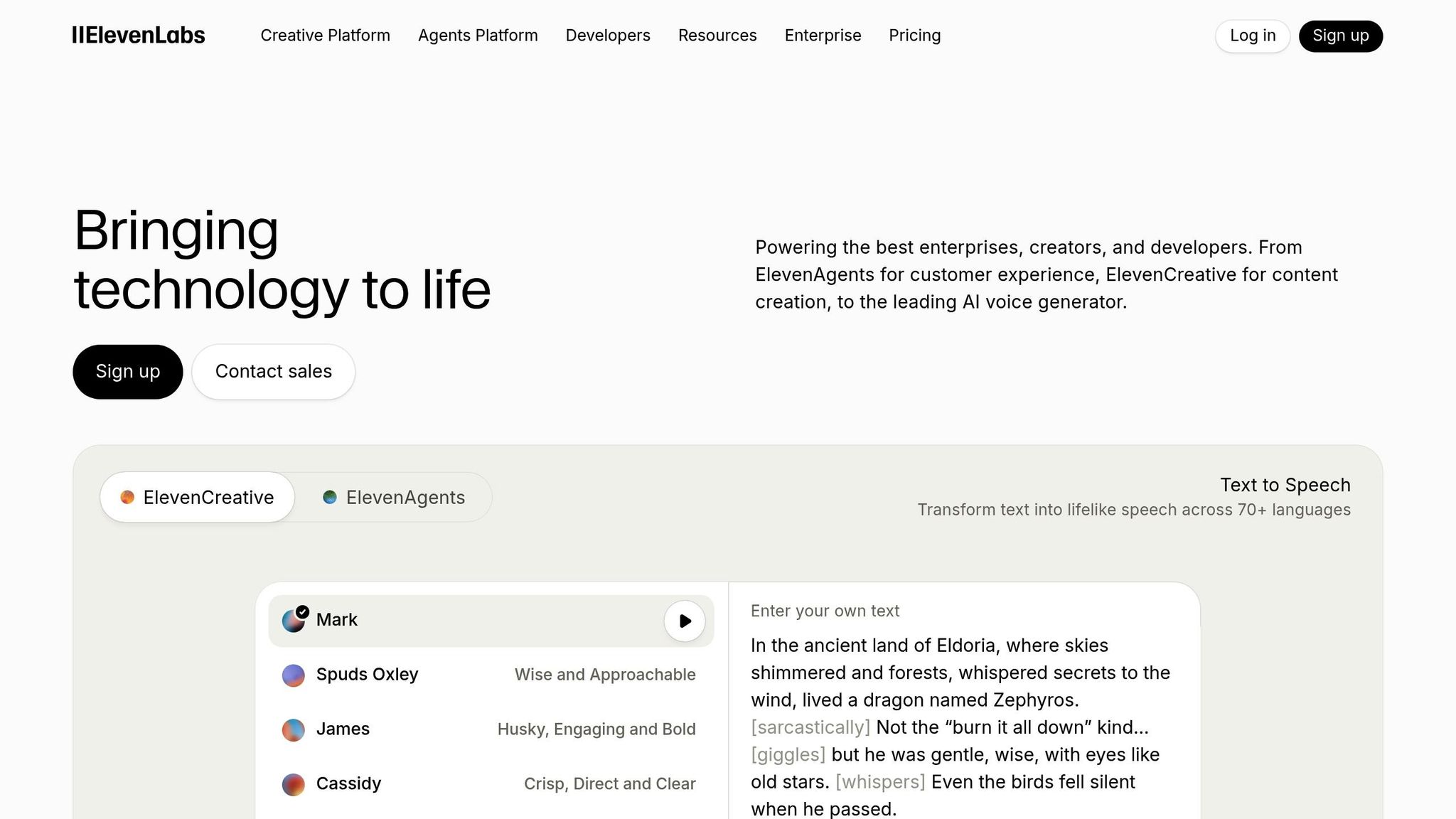
ElevenLabs is a go-to platform for creators looking for high-quality voice work without breaking the bank. Its standout feature, Voice Cloning, can replicate your voice in just 60 seconds for quick cloning or in 3–30 minutes for professional-grade results with up to 95% accuracy. In a notable example from 2025, NVIDIA used ElevenLabs to narrate parts of CEO Jensen Huang's keynote in both English and Mandarin, requiring only 7 minutes of original audio. Once recorded, your voice can be used across various formats like videos, podcasts, or audiobooks.
Content Generation Capabilities
ElevenLabs goes beyond simple text-to-speech functionality. Its Speech-to-Speech (STS) feature allows you to record performances with natural expressions - like whispers, pauses, or shouts - and transfers that delivery to a polished AI voice. For long-form projects, the platform's workspace can handle EPUB or PDF files, assign character voices, and maintain narrative context over hundreds of pages.
But it doesn’t stop there. ElevenLabs also creates original music with lyrics, generates sound effects from text prompts (like a "wooden door creaking"), and produces high-quality visuals and videos through its ElevenCreative workspace. Its AI Dubbing Studio is another game-changer, automatically transcribing, translating, and syncing audio to video timelines in over 70 languages - all while keeping your original voice and tone intact.
Media Editing and Enhancement Features
ElevenLabs isn’t just about generating content - it’s also about refining it. In blind tests, the platform earned a 9.6/10 quality score, with listeners mistaking its AI-generated voices for human recordings 68% of the time. Its Studio environment offers precise control over audio production, with sliders for Stability, Clarity, Style, and Speed. Emotion tags like [whispers], [sarcastic], and [laughs] allow for even more nuanced delivery.
For those dealing with noisy recordings, the Voice Isolator removes background noise, echoes, and other imperfections to deliver studio-quality results. And if the AI mispronounces technical terms or brand names, you can fix it easily by using phonetic spelling - for example, typing "A-P-I" instead of "API".
AI-Driven Customization and Automation
Customization is another area where ElevenLabs shines. The Voice Design feature lets you create entirely new voices by specifying attributes like age, accent, and tone - or you can pick from a library of over 10,000 voices shared by the community. In 2025, Toyota collaborated with ElevenLabs to create a voice-driven marketing campaign featuring an AI version of NFL quarterback Brock Purdy. The campaign generated over 12,000 interactions, with nearly two minutes of average engagement time and a 25% conversion rate.
For real-time applications, ElevenAgents enables interactive voice bots for customer service, gaming, or marketing. Many creators have reported cutting their audio production costs by as much as 90% thanks to the platform.
ElevenLabs offers flexible pricing options. The Free plan ($0/month) includes 10,000 credits but excludes commercial rights. The Starter plan ($5/month) provides 30,000 credits, instant voice cloning, and commercial rights, while the Creator plan ($11–$22/month) offers 100,000 credits and professional-grade voice cloning. For enterprise users, the platform is ISO 42001 certified and SOC 2 compliant.
9. HeyGen
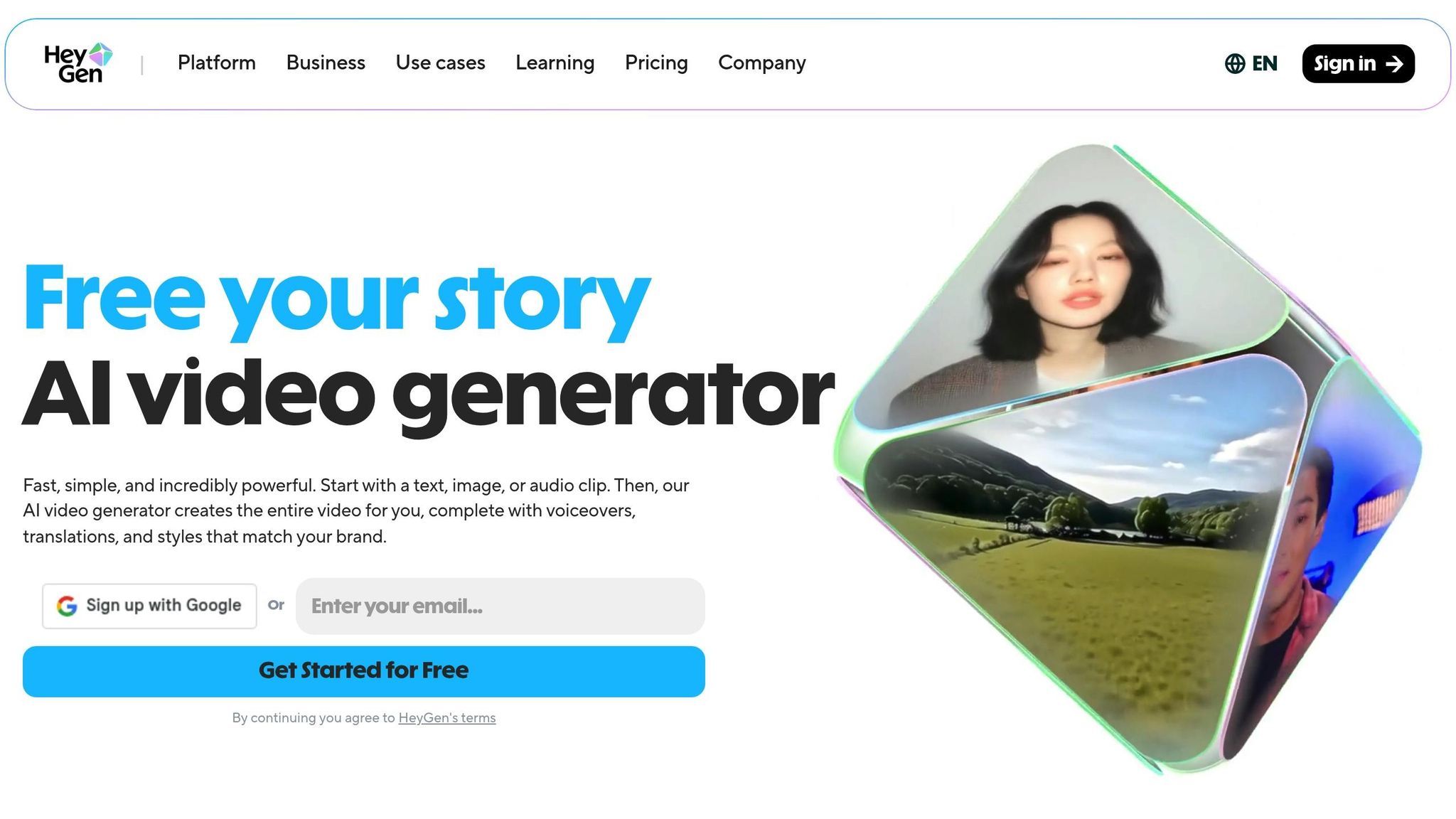
HeyGen simplifies the creation of talking-head videos by removing the need for cameras, lighting setups, or repetitive takes. Its Avatar IV technology brings videos to life with realistic micro-expressions, natural shoulder movements, and accurate lip-syncing across more than 175 languages and dialects. The platform offers a library of over 700 pre-designed avatars, and users can even create a "Digital Twin" by uploading just 2–5 minutes of their own video footage.
Content Generation Capabilities
HeyGen makes it easy to personalize and localize video content. With its Generating Looks feature, you can tweak an avatar's pose, outfit, or background using simple text commands. For example, Trivago used HeyGen to tailor TV ads for 30 different markets worldwide, all while maintaining a cohesive brand identity. Similarly, Anneleen Bru, an online educator at Happy Cats, slashed her video course production time from four weeks to just 15 minutes per video by leveraging HeyGen's avatars and translation tools.
The platform also supports large-scale personalization. Reply.io used a HeyGen avatar to enhance its CEO's TikTok presence and create thousands of personalized outreach videos, demonstrating its potential for dynamic and efficient content creation.
AI-Driven Customization and Automation
HeyGen takes video branding and customization to the next level. The Brand Kit feature ensures every video aligns with your brand by automatically applying your logos, fonts, and colors. The Voice Director tool allows you to adjust the tone and emotion of your script with a single click, while Voice Mirroring replicates your unique vocal style for a seamless delivery. To create a custom voice clone, all you need is 2–5 minutes of high-quality audio recorded with a good microphone.
"HeyGen's real value proposition is not realism for its own sake. It is removing the psychological and operational tax of video creation."
– Adam Treister, Founder and Editor, Better Products
HeyGen's AI-powered translation tools can cut localization costs by up to 80% and reduce delivery times from three weeks to just one day. Pricing options include a Free Tier for testing, a Starting Plan at $29/month for individual creators, and a Business Plan at $89/month for teams needing more credits and advanced features.
10. Lumen5
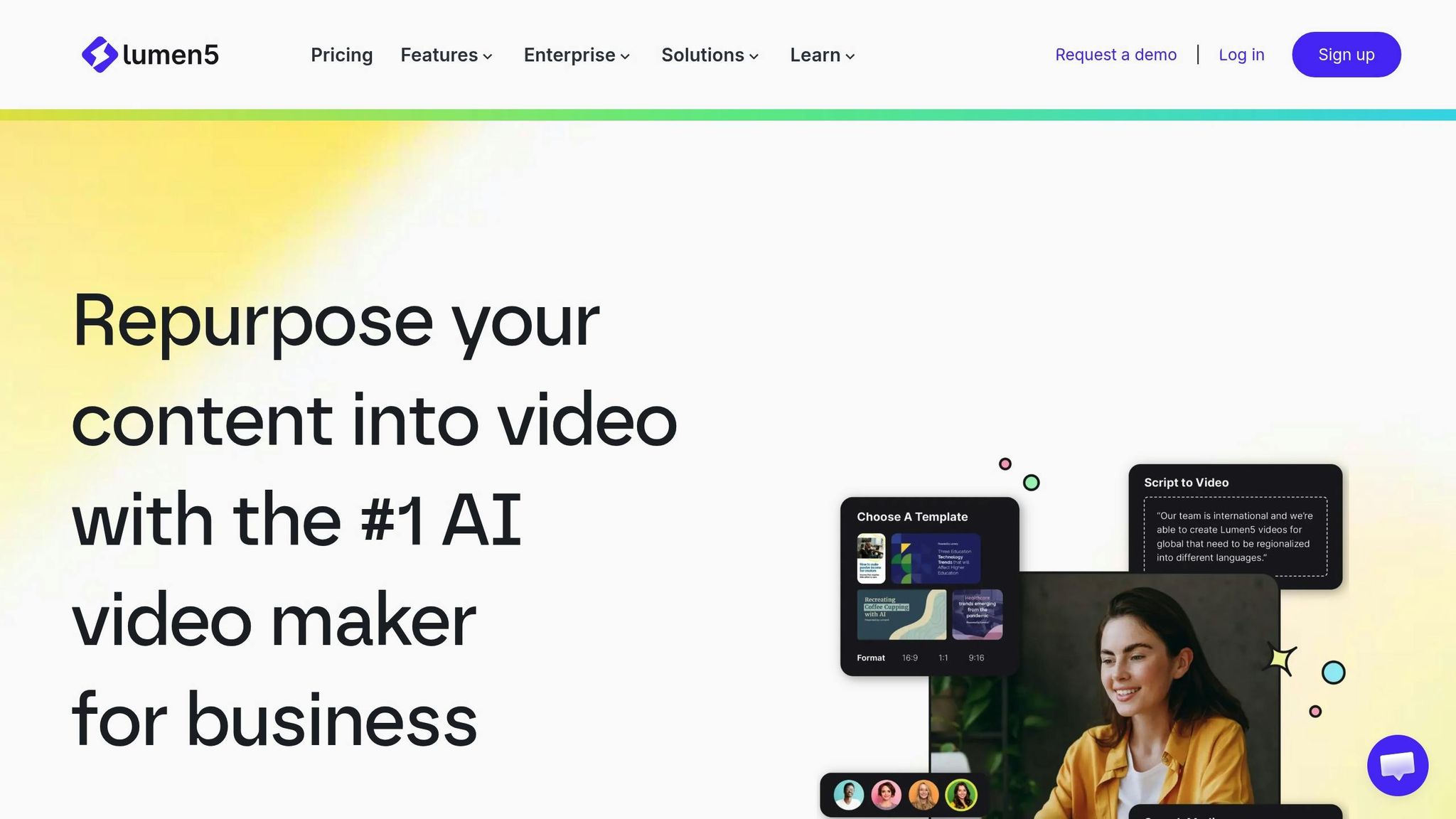
Lumen5 takes the hassle out of video creation by turning blog posts, scripts, and text prompts into professional-quality videos through AI-assisted storyboarding. Forget about manual planning and endless editing - Lumen5 does the heavy lifting for you. With an impressive 456,100 monthly active users as of 2025, it's a favorite for creators who need to churn out content consistently without adding more people to their teams. It not only simplifies workflows but also ensures your brand's look and feel stay intact. The way it bridges text and video makes it a powerful tool for content creators.
Content Generation Capabilities
Lumen5's standout feature is its text-to-video transformation, which takes your blog posts and converts them into engaging video summaries. Imagine extending the life of your written content by giving it a new format. Its AI scans your text and pairs it with visuals from a library of over 50 million stock assets, saving you hours of searching for the right images or clips. Plus, it supports multilingual content creation in languages like English, Spanish, French, German, Portuguese, and Dutch, making it easier to connect with audiences worldwide while keeping the tone and message intact.
And it doesn't stop there - Lumen5 also includes user-friendly editing tools to refine your videos.
Media Editing and Enhancement Features
Lumen5 offers a range of tools to customize your videos. Use its templates and branding options to ensure every video reflects your style. Features like natural AI voiceovers, virtual talking heads, and automated audio cleanup add a polished touch. The platform also supports resizing videos and batch exporting, making it perfect for sharing across social media platforms.
AI-Driven Customization and Automation
Efficiency is at the heart of Lumen5's design. Its "automation-first" approach handles repetitive tasks like matching scenes to your script and selecting visuals. For teams with technical expertise, Lumen5 provides API access and SDKs for Python and JavaScript/TypeScript, allowing seamless integration into custom workflows.
When it comes to pricing, Lumen5 offers options for various needs:
Community Plan: Free, but includes a watermark.
Basic Plan: $29/month, removes the watermark.
Starter Plan: $79/month, adds HD resolution and access to a large stock asset library.
Professional Plan: $199/month, for more advanced features.
Enterprise Plan: Custom pricing for large-scale projects.
Whether you're a solo creator or part of a larger team, Lumen5 makes video creation efficient and accessible.
Conclusion
The AI tools highlighted in this guide tackle the everyday hurdles of content creation head-on. The standout benefit? Efficiency. Creators are now producing up to three times more content in half the time, significantly boosting productivity. Tasks that used to feel like a slog - like editing a 30-minute interview - can now be done in under 20 minutes. The once-dreaded blank page is no longer a barrier, thanks to tools like ChatGPT and Claude, which generate first drafts in seconds. Meanwhile, platforms like Opus Clip make it easy to repurpose long-form videos into dozens of short, shareable clips for TikTok and Reels.
Fast forward to 2026, and solo creators are competing with full production teams. You don’t need to be a Hollywood pro to create polished videos, high-quality audio, or visually striking graphics. This transformation allows creators to focus on what truly matters: storytelling and building connections with their audience. As Jamie Partridge, Founder & CEO of PostEverywhere, aptly says:
"The future of content creation is not about AI replacing creators. It is about creators who use AI effectively outpacing those who do not".
This marks a turning point for content creators. By using AI tools wisely, creators can tackle their biggest challenges with strategy. Start small - identify the one task that drains your time or causes the most frustration. Find a tool to solve that specific problem and master it before adding more to your workflow. The most successful creators of 2026 rely on a streamlined toolkit of 3–5 specialized tools that maximize both efficiency and creativity. To take it a step further, batch your work - whether it’s thumbnails, scripts, or social media clips - so you can produce a week’s worth of content in one focused session.
Featured on Flaex